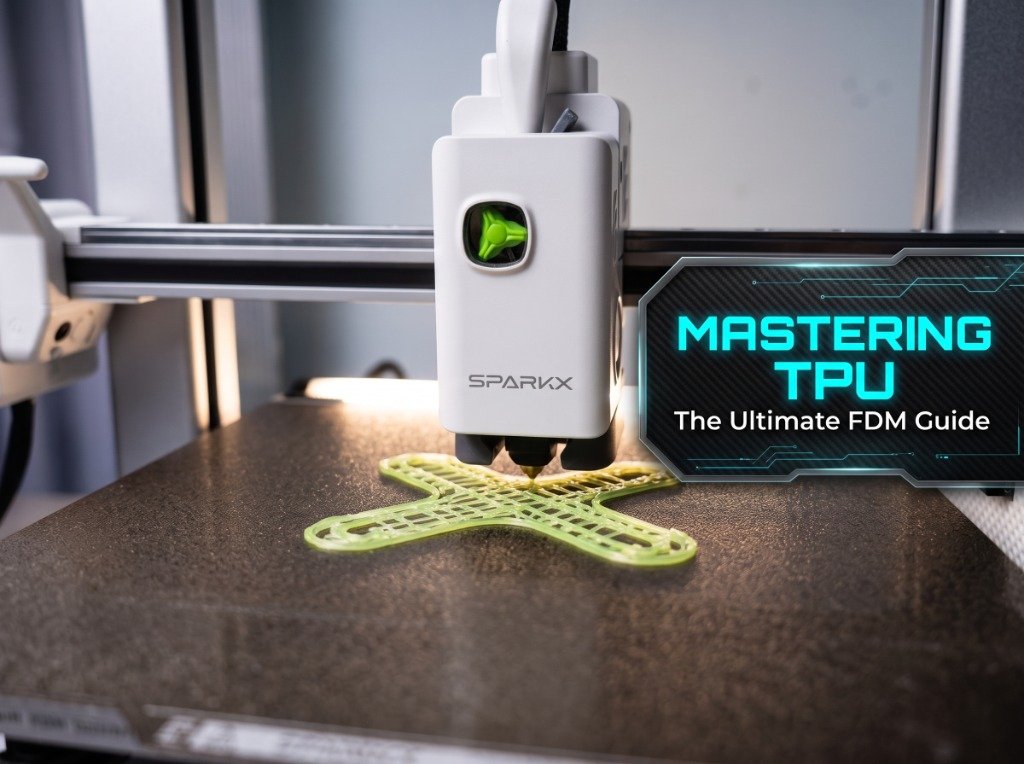
Printing Thermoplastic Polyurethane (TPU) on modern FDM 3D printers often catches makers off guard. You load a flexible spool into a high-speed printer, hit print using default profile speeds, and within twenty minutes the extruder gears start grinding against a tangled mass of elastic filament jammed inside the toolhead.
Unlike rigid plastics like PLA or PETG, flexible TPU acts like a rubber string under compression. If the distance between the drive gears and the hotend melt zone isn't tightly constrained, or if the printer pushes filament faster than the hotend can melt it, the filament simply buckles sideways.
This guide explains why TPU behaves this way inside FDM extruders, how shore hardness rating alters printability, how to bypass automated multi-material spool changers like the Bambu Lab AMS or Elegoo Centauri hub, and the slicer settings needed to prevent stringing.
Why is TPU Hard to Print on FDM Printers?
TPU is hard to print on FDM printers because its elasticity causes it to bend and stretch under extrusion pressure, leading to filament buckling inside the drive gears or dragging inside the hotend throat if fed too quickly or wet.
When an extruder motor turns its dual gears to push plastic into a heated nozzle, it builds up backpressure. Solid filaments like PLA or ABS resist this pressure and slide downward cleanly. TPU flexes under load. If there is any unconstrained gap along the path from the drive gears into the PTFE throat entry, TPU will bend toward that gap and wrap itself around the gear shaft.
Three main factors determine whether a TPU print job will succeed or jam:
- Path Constriction: Direct-drive toolheads with a short, tight PTFE guide tube right below the drive gears keep flexible filament centered and prevent buckling.
- Extrusion Speed & Volumetric Limit: Pushing TPU faster than 30–40 mm/s forces excessive pressure into the melt zone. Lowering max volumetric speed to 2.5–3.5 mm³/s keeps backpressure under control.
- Moisture Absorption: TPU absorbs atmospheric moisture rapidly. Wet TPU bubbles in the melt zone, causing pressure spikes that drag filament sideways inside the heatbreak.
Bowden vs. Direct-Drive Note: Printing soft TPU on long Bowden tube setups (such as older Ender 3 machines) requires very slow speeds (15–20 mm/s) because the long PTFE tube creates friction and spring-like compression along its length. Modern direct-drive extruders handle TPU much more reliably.
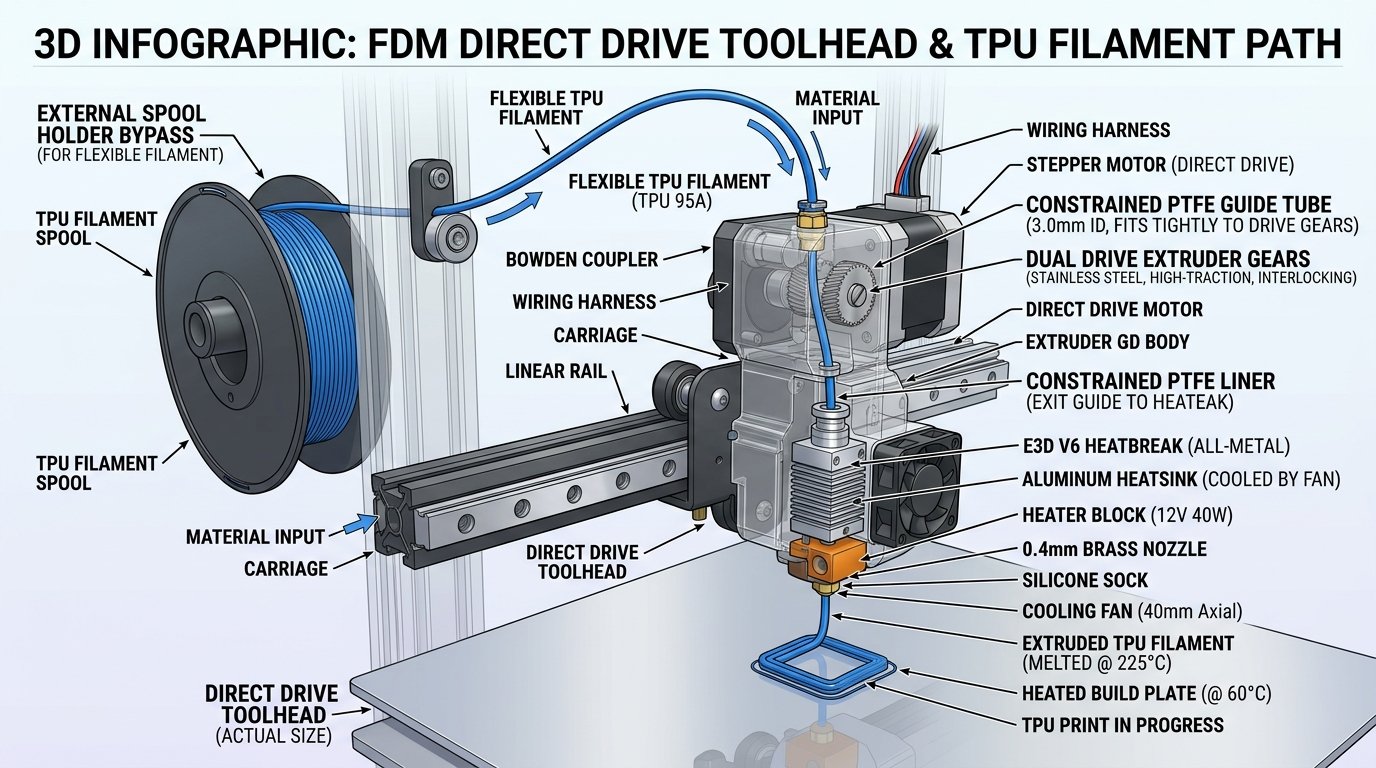
Figure 1: Cross-section diagram of a direct-drive toolhead feeding TPU. Constraining the filament path directly below the dual gears prevents elastic buckling under backpressure.
TPU Shore Hardness Comparison (95A vs. 85A vs. 70D)
Higher shore hardness ratings like 95A are significantly easier for FDM extruders to process than soft 85A grades because stiffer TPU resists column buckling inside the toolhead gears.
Rubber hardness is measured on the Shore scale (typically Shore A for flexibles and Shore D for hard plastics). Knowing the rating on your spool helps you set realistic printing speeds and retraction limits:
- Shore 95A (Semi-Flexible): The standard flexible filament for FDM. It feels like a firm shoe sole or hard smartphone case. 95A feeds reliably in direct-drive printers at speeds between 30 and 50 mm/s. Recommended for beginners.
- Shore 90A – 85A (Soft Flexible): Feels like a rubber band or soft gasket. 85A requires slow extrusion (15–25 mm/s), zero retraction, and a fully constrained direct-drive extruder. Bowden setups usually fail on 85A.
- Shore 70D (Rigid Flexible): A hard engineering grade used for impact-resistant bushings and gears. It prints almost as easily as PETG at standard speeds (50–80 mm/s).
| Shore Hardness | Flexibility Profile | Print Speed Range | Direct-Drive Capability | Bowden Capability | Typical Applications |
|---|---|---|---|---|---|
| Shore 70D | Rigid & Tough | 50 – 80 mm/s | Excellent | Good | Engine mounts, industrial wheels, protective guards |
| Shore 95A | Semi-Flexible | 30 – 50 mm/s | Excellent | Moderate (Slow) | Phone cases, drone bumpers, shoes, seals |
| Shore 90A | Flexible | 20 – 35 mm/s | Good (Tunings Required) | Poor / Not Recommended | Vibration dampeners, soft grips, bellows |
| Shore 85A / 80A | Very Soft & Elastic | 10 – 25 mm/s | Requires Tuning | Will Jam | Soft gaskets, flexible toys, medical models |
How to Set Up TPU for AMS and Multi-Material Systems
Standard flexible TPU must bypass multi-material automatic spool changers due to high friction inside long PTFE tubes and gear binding during automatic retraction cycles.
Enclosed multi-material systems like the Bambu Lab AMS or the Elegoo Centauri Carbon spool feeder push and pull filament through several feet of internal tubing during material switches. Standard TPU 95A or 85A grips the inner PTFE walls, stretches during pull-backs, and causes severe feeding errors inside the automatic hub.
To print TPU safely on an AMS-equipped machine, use one of the following two workarounds:
1. Use the External Spool Holder Bypass
Mount your TPU spool on the printer's rear external spool hanger or an independent dry box. Disconnect the PTFE tube coming from the AMS at the back buffer/coupler and run a short, direct PTFE line from the external spool directly into the toolhead entry. In your slicer (OrcaSlicer or Bambu Studio), select the external spool slot instead of an AMS bay.
2. High-Speed / High-Rigidity TPU Filaments
Some specialized TPU formulations (such as Bambu TPU 95A HF or specialized rigid flex blends) feature a modified surface coating and higher tensile stiffness. These specific high-flow variants are designed to slide through PTFE tubes with less friction, though keeping retraction distances short is still recommended.
Drying TPU: Essential Moisture Control
TPU is highly hygroscopic. A fresh spool left exposed to room air can absorb enough humidity within 6 to 12 hours to degrade surface finish and cause severe stringing.
Symptoms of wet TPU include loud popping or sizzling sounds at the nozzle tip, fine hairy stringing across travel gaps, and rough, porous layer surfaces. To keep TPU dry:
- Dry before printing: Place the TPU spool in a dedicated filament dryer or active dehydrator at 50°C–55°C for 4 to 6 hours before starting a print.
- Print directly from a dry box: Feed the filament out of a sealed dry box with fresh desiccant so it doesn't re-absorb room moisture during long multi-hour runs.
- Store with silica gel: Keep unused spools sealed in heavy vacuum bags with active silica desiccant packs.
Optimal Slicer Settings for String-Free TPU Prints
To eliminate stringing and gear jamming on TPU prints, disable long retractions, cap max volumetric speed, and calibrate printing temperatures.
When configuring OrcaSlicer, PrusaSlicer, or Bambu Studio for a TPU 95A profile on a direct-drive toolhead, test these baseline values:
- Printing Temperature: 225°C – 235°C for standard TPU (like Sunlu or Overture). Higher temps lower melt viscosity and reduce backpressure, but going too high increases stringing.
- Bed Temperature: 30°C – 50°C. TPU adheres strongly to textured PEI plates. Applying a light layer of glue stick acts as a release agent to prevent tearing the PEI coating when removing parts.
- Max Volumetric Speed (MVS): Set to 2.5 mm³/s to 4.0 mm³/s. This automatically caps outer wall and infill speed so the printer won't exceed safe flow limits.
- Retraction Distance: On direct-drive extruders, keep retraction between 0.2mm and 0.5mm at 20 mm/s speed. On soft 85A TPU, disable retraction entirely (0.0mm).
- Travel Speed & Z-Hop: Set travel speed high (250–300 mm/s) to break fine flex wisps quickly. Avoid using Z-hop on flexible filaments, as lifting the nozzle can pull fine strings upward.
Maker's Workshop Note: On my direct-drive CoreXY printer, switching from default PLA profile speeds to a capped 3.0 mm³/s volumetric speed limit solved 90% of my TPU gear jams. The printer runs slower, but the prints come off the bed without a single string.
For more material comparisons and drying guidelines, check our articles on Understanding 3D Printing Materials: PLA, PETG, ABS, and TPU and The Ultimate FDM 3D Printing Filament Drying Guide.
Frequently Asked Questions (FAQ)
1. Can I print TPU on a textured PEI build plate without glue stick?
It is safer to apply glue stick or a release agent first. TPU forms an extremely strong bond with textured PEI plates. Removing a large TPU part without a release layer can stretch or tear the PEI coating off the flexible steel sheet.
2. Why does TPU grind inside my extruder gears?
Extruder gears grind into TPU when backpressure in the hotend exceeds the force needed to push plastic through the nozzle. This happens if print speed is set too high, nozzle temp is too low, filament is wet, or retraction distance is excessive.
3. What is the best retraction setting for TPU 95A on a direct drive printer?
A retraction distance of 0.2mm to 0.5mm at 20 mm/s speed usually yields good results. Setting retraction above 1.0mm increases the risk of pulling softened TPU up into the cold throat drive gears.
4. Can TPU damage automated spool changers like the Bambu Lab AMS?
Soft TPU can bend and jam inside internal feeder gears or get stuck inside long PTFE tubes during automatic retraction sequences. Always check manufacturer guidelines before loading non-certified flexibles into automated multi-material units.
5. How do I know if my TPU filament needs drying?
If your nozzle makes popping or crackling sounds during extrusion, or if travel moves leave heavy spiderweb-like strings across empty gaps, the filament has absorbed ambient moisture and should be dried at 50°C–55°C for 4 to 6 hours.
References & External Sources
- Bambu Lab Wiki: Printing with TPU & AMS Compatibility Guide – Official manufacturer guidelines on flexible filament feeding, external spool holder setup, and AMS warnings.
- Prusa Knowledge Base: Flexible Materials (TPU/TPE) Printing Guide – Technical documentation on direct-drive tension adjustments and slicer speeds for flexibles.
- Polymaker PolyFlex TPU Technical Data Sheet – Material specifications on Shore hardness testing, high-flow tensile properties, and drying recommendations.
- OrcaSlicer Official Wiki: Volumetric Speed & Flow Limits – Official slicer documentation on capping max volumetric speed for elastic filaments.
About the Author: Dinu Suciu
Dinu Suciu is an FDM 3D printing practitioner, prototyping engineer, and founder of 3D Print Book. Operating high-speed enclosed CoreXY FDM printers, Dinu focuses on practical material testing, slicer configuration, and routine machine maintenance. Have questions about printing flexible filaments? Reach out through our Contact Page.