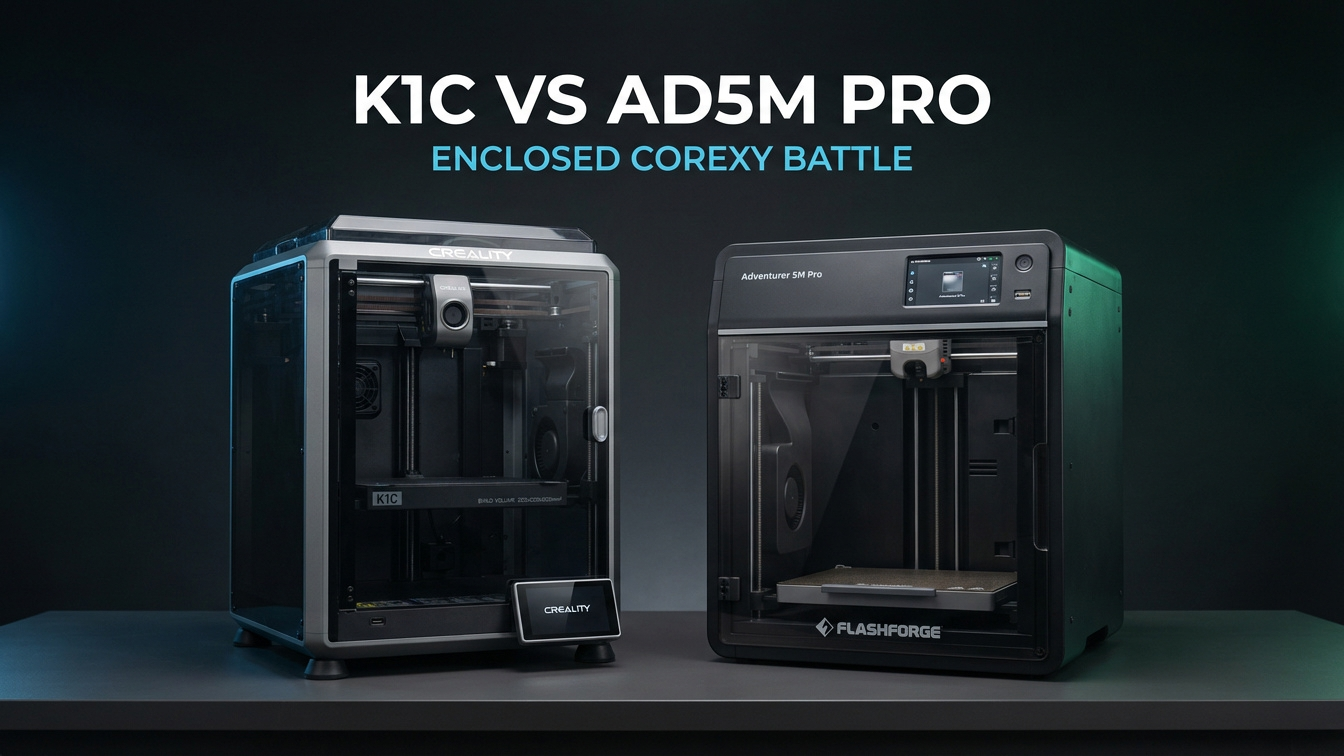
Shopping for a compact enclosed CoreXY machine under $450 usually narrows down to two direct rivals: the Creality K1C and the Flashforge Adventurer 5M Pro. On spec sheets, both machines look remarkably similar. Both share a 220 mm square footprint, hit 600 mm/s peak travel speeds, and wrap their motion systems behind tinted enclosure doors.
Once you put both printers onto an actual workbench, though, their priorities split cleanly. Creality built the K1C around higher nozzle temperatures, carbon-fiber readiness right out of the box, an extra 30 mm of Z-axis build height, and open Klipper access for makers who tune their own machines. Flashforge engineered the Adventurer 5M Pro for clean indoor usability, pairing three-second quick-release nozzles with a sealed dual-stage HEPA 13 and activated-carbon air filtration loop.
In my workshop tests on enclosed CoreXY platforms, that split matters far more than top advertised travel speeds. Choosing between the two depends on whether your prints lean toward abrasive composite filaments and firmware control, or quiet everyday reliability in a home office or shared workspace. Let us break down how these two popular enclosed printers compare across nozzle hardware, air quality, motion behavior, slicer workflow, and long-term maintenance.
Table of Contents
- Creality K1C vs Flashforge AD5M Pro: Which Enclosed CoreXY Wins?
- Nozzle Architecture, Abrasive Filaments, and Hotend Ceilings
- Air Filtration, Acoustic Noise, and Home-Office Safety
- Specification Matrix: Creality K1C vs Flashforge AD5M Pro
- Build Volume, CoreXY Motion, and First-Layer Consistency
- Maker Workshop Observations: Testing Carbon PETG and Indoor Filtration
- Firmware Freedom, OrcaSlicer Workflow, and Long-Term Maintenance
- Frequently Asked Questions (FAQ)
- References & External Sources
Creality K1C vs Flashforge AD5M Pro: Which Enclosed CoreXY Wins?
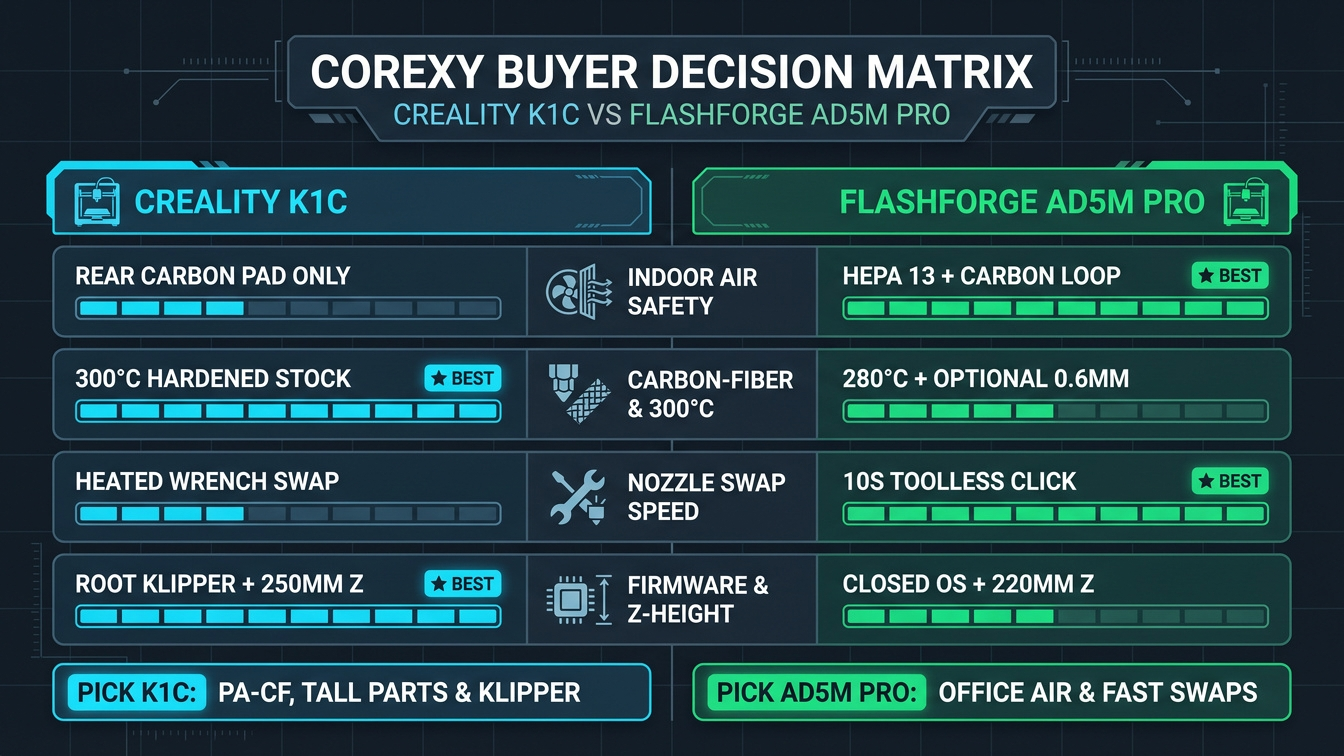
The Creality K1C is usually the stronger pick for carbon-fiber composites, tall parts up to 250 mm, and open Klipper customization thanks to its 300°C hardened tri-metal Unicorn nozzle. Meanwhile, the Flashforge Adventurer 5M Pro often wins for apartments, classrooms, and home offices because it combines dual HEPA 13 and activated-carbon filtration with toolless three-second nozzle swaps.
If you are evaluating contenders for the best FDM 3D printer in 2026 at the entry enclosed tier, neither machine tries to replace a 350 mm production workhorse. Both focus on single-color functional printing with fast CoreXY acceleration up to 20,000 mm/s². Where buyers get tripped up is assuming "enclosed CoreXY" means identical real-world behavior.
- Pick the Creality K1C when you print PETG-CF, PA-CF, or ASA frequently, need the extra 250 mm Z height, want a camera that flags failed spaghetti prints, or plan to root Klipper for Mainsail and Fluidd control.
- Pick the Flashforge Adventurer 5M Pro when your printer sits near a desk where ultrafine particles and odors matter, when you switch between 0.25 mm detail nozzles and 0.6 mm fast nozzles weekly, or when you want consistent hands-off prints with minimal tinkering.
- Consider an intermediate size like the Elegoo Centauri Carbon CoreXY printer if you specifically need a 256 × 256 × 256 mm build plate without jumping past this budget tier.
"Speed ratings on paper rarely separate compact CoreXY machines anymore; both can push plastic faster than small layers can cool. What separates them in daily shop use is how easily you clear or swap a nozzle and how effectively the enclosure handles chamber fumes."
Nozzle Architecture, Abrasive Filaments, and Hotend Ceilings
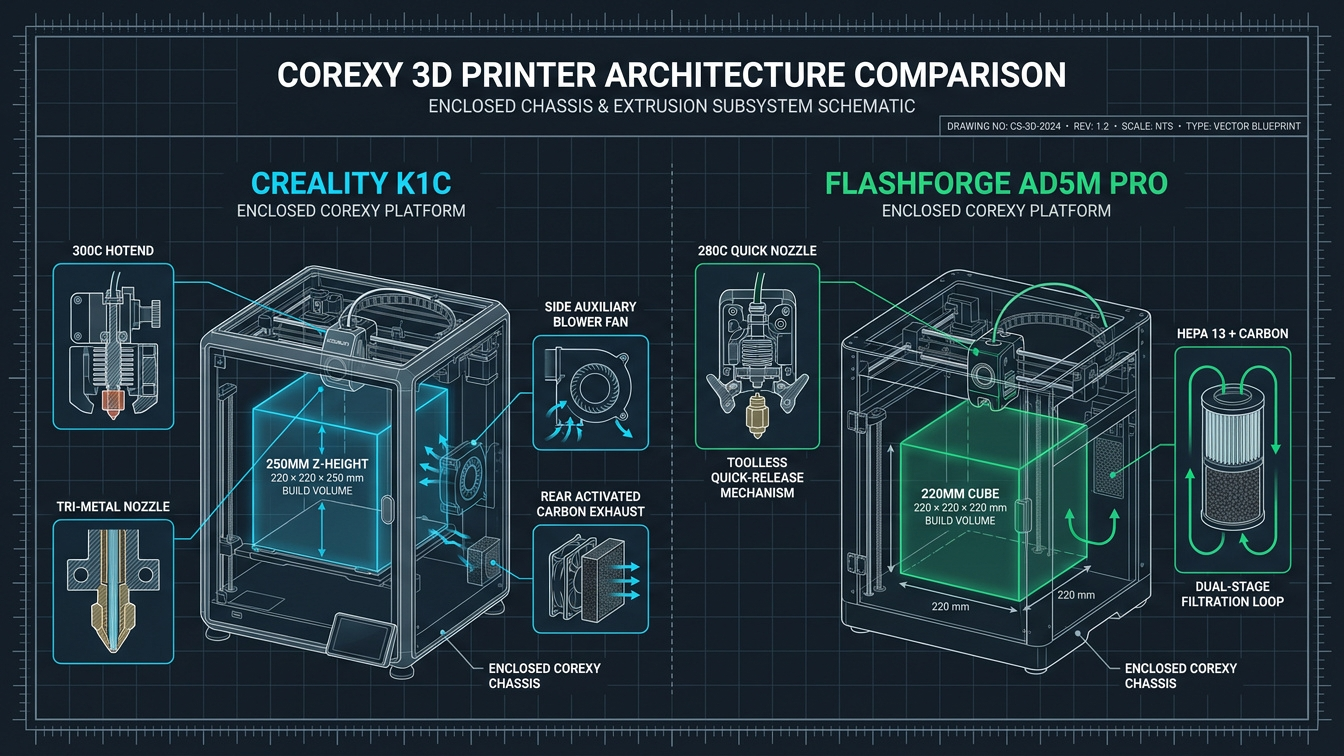
The Creality K1C pairs a 300°C all-metal hotend with a hardened steel-tipped tri-metal Unicorn nozzle built for abrasive fibers out of the box, whereas the Flashforge Adventurer 5M Pro uses a toolless quick-release nozzle cartridge capped at 280°C. Both systems prevent heatbreak leaks common on older threaded brass designs, yet they serve very different nozzle-swapping habits.
1. Creality K1C Tri-Metal "Unicorn" Nozzle System
Creality designed the K1C specifically to solve two pain points from the earliest K1 units: filament creeping into the heatbreak gap and soft brass nozzles wearing out after half a spool of carbon-fiber filament. The integrated Unicorn nozzle joins a copper alloy heater section, a titanium-alloy heatbreak, and a hardened steel nozzle tip into one rigid piece. Because the heatbreak and nozzle are permanently joined, there is no internal seam where molten PETG can ooze sideways inside the heater block.
With its 300°C temperature ceiling, the K1C handles standard PLA and PETG effortlessly while giving you comfortable headroom for ABS, ASA, and carbon-reinforced nylons that prefer 270°C to 290°C. In real slicing profiles, the stock 0.4 mm Unicorn nozzle sustains roughly 21 to 27 mm³/s volumetric flow depending on the resin blend, and swapping to an optional 0.6 mm nozzle pushes flow above 30 mm³/s for structural brackets. Changing the nozzle is straightforward—heat the block, remove the silicone sock, and unscrew the unified assembly with a wrench—though it still takes a few minutes and requires waiting for safe cooling.
2. Flashforge Adventurer 5M Pro Quick-Release Cartridges
Flashforge takes convenience a step further. Instead of unscrewing a heated metal barrel, the Adventurer 5M Pro uses a spring-latched cartridge system that pops out after pinching two red release tabs and letting the unit cool for a minute. You can jump from a 0.4 mm everyday nozzle to a 0.25 mm miniature tip or a 0.6 mm fast-drafting nozzle in roughly three seconds once the heater is safe to touch.
Each Flashforge nozzle integrates its own thermistor and 50W ceramic heater into the replaceable cartridge, delivering up to 32 mm³/s volumetric flow on rapid PLA and PETG profiles. The trade-off is temperature ceiling and recurring cost. The stock quick-release nozzles max out at 280°C, which covers PLA, PETG, TPU, ABS, and most ASA blends, yet leaves less margin for high-temp engineering nylons that need 290°C to 300°C. Standard 0.4 mm cartridges ship with stainless or hardened variants depending on the bundle—meaning you should verify you buy the hardened steel 0.6 mm or 0.4 mm cartridge before running abrasive carbon-fiber spools, and replacements cost noticeably more per piece than simple threaded tips.
3. Direct-Drive Extruders and Abrasive Grip
Both printers place lightweight dual-gear direct-drive extruders directly above the meltzone, keeping retraction distances short (typically 0.6 mm to 0.8 mm for PLA and PETG) and handling flexible 95A TPU well when spool drag stays low. Creality adds a bolster spring and ball-plunger mechanism inside the K1C extruder to maintain steady clamping pressure on slick carbon-fiber filaments without chewing soft PLA during fast retractions. On the Flashforge AD5M Pro, the extruder feeds cleanly, though unloading filament via the stock top Bowden tube asks you to run an automatic cut-and-retract routine or manually snip and pull the remaining stub through the guide path.
Air Filtration, Acoustic Noise, and Home-Office Safety
The Flashforge Adventurer 5M Pro leads clearly on indoor air quality with a sealed internal/external circulation damper and a dual-layer HEPA 13 plus activated-carbon filter cartridge, whereas the Creality K1C relies on a single rear activated-carbon exhaust block without a rated HEPA stage. Both enclosures help hold passive heat for warp-prone parts, yet they manage fumes very differently.
When melting styrene-based polymers such as ABS and ASA—or even printing hot PETG for six hours straight in a small study—two types of emissions matter: volatile organic compounds (VOCs) that carry sharp odors, and ultrafine particles (UFPs) invisible to the eye. Activated carbon pellets adsorb VOC vapors, while a dense HEPA 13 media pleat is required to trap microscopic airborne particles.
- Flashforge AD5M Pro Dual-Stage Loop: Flashforge integrates a dedicated dual filter stack combining HEPA 13 particulate capture with activated carbon granules, paired with an electric baffle switch controlled directly from the touchscreen and slicer profile. For PLA printing, the system opens external exhaust to dump excess heat so parts don't suffer heat creep; when switching to ABS or ASA, the baffle closes into internal recirculation mode, cycling chamber air repeatedly through the HEPA 13 and carbon cartridge so smells stay largely inside the chassis.
- Creality K1C Carbon Exhaust & Side Blower: The K1C mounts a thin activated-carbon filter pad in front of its rear chamber exhaust fan. It reduces obvious ABS odors during closed-door prints, though without a dense HEPA 13 stage, fine particulate capture is less thorough than the Flashforge unit. In addition, the K1C includes a strong side-mounted auxiliary cooling blower inside the right wall to freeze fast PLA overhangs. That auxiliary fan moves serious air—great for bridging, yet noisy if left at 100% speed.
Acoustic levels follow the same pattern. With the door shut in normal high-speed printing, the Flashforge Adventurer 5M Pro measures roughly 50 dB in Low-Noise mode and around 55 dB at full speed, producing a relatively smooth fan hum that fades into the background of a home office. The Creality K1C runs around 45 dB when dialed down into Silent mode, yet jumps closer to 58–62 dB at standard profile speeds once the side auxiliary fan and rear exhaust kick up. Neither machine is silent like an open slow-motion printer, so putting either on a dense rubber paver or concrete slab helps isolate table resonance.
Specification Matrix: Creality K1C vs Flashforge AD5M Pro
Comparing the Creality K1C and Flashforge Adventurer 5M Pro side by side—alongside two benchmark enclosed alternatives in our catalog—clarifies how build volume, hotend temperature limits, filtration, and firmware openness line up for your workshop budget.
| Specification / Metric | Creality K1C | Flashforge AD5M Pro | Elegoo Centauri Carbon | Anycubic Kobra S1 |
|---|---|---|---|---|
| Build Volume (X × Y × Z) | 220 × 220 × 250 mm (12.1 L) | 220 × 220 × 220 mm (10.6 L) | 256 × 256 × 256 mm (16.7 L) | 250 × 250 × 250 mm (15.6 L) |
| Exterior Footprint & Weight | 355 × 355 × 480 mm • 12.5 kg | 380 × 400 × 453 mm • 14.6 kg | 398 × 404 × 490 mm • 17.5 kg | 400 × 410 × 490 mm • 18.0 kg |
| Max Speed / Acceleration | 600 mm/s • 20,000 mm/s² | 600 mm/s • 20,000 mm/s² | 500 mm/s • 20,000 mm/s² | 600 mm/s • 20,000 mm/s² |
| Hotend & Nozzle Design | 300°C Unified Tri-Metal Unicorn (Hardened Tip) | 280°C Toolless Quick-Release Cartridge | 320°C Hardened Steel All-Metal | 320°C Quick-Swap All-Metal |
| Peak Volumetric Flow | ~24–30 mm³/s (material & bore dependent) | Up to 32 mm³/s (50W ceramic heater) | Up to 32 mm³/s | Up to 30 mm³/s |
| Air Filtration System | Rear Activated Carbon Exhaust Pad | Dual HEPA 13 + Carbon (Auto Recirculate / Exhaust) | Built-In Activated Carbon Filter | Activated Carbon Exhaust Chamber |
| Chamber Camera & AI Checks | 1080p AI Camera (Spaghetti & Foreign-Object Alerts) | Built-in Time-Lapse & Live Monitoring Camera | 720p Chamber Monitoring Camera | Built-in Monitoring Camera |
| Rated Power Supply | 350W Peak (100–240V AC) | 350W Peak (100–240V AC) | 1,000W AC Bed + DC Logic | 1,000W AC Bed + DC Logic |
| Firmware & Tuning Access | Creality OS (Official Rootable Klipper / Mainsail) | Closed Klipper Base (Community Mod Required for Root) | Klipper-Based Custom OS | Kobra OS (Klipper-Based) |
| Check Current Price | Check Price | Check Price | Check Price | Check Price |
Enclosed CoreXY Deals, Spare Nozzles & Engineering Filaments
Before ordering a new CoreXY machine or stocking up on quick-swap nozzles and carbon-fiber spools, browse our regularly updated 3D Printing Deals & Coupons page for verified partner promotions alongside direct links for the machines and hardened parts below.
Build Volume, CoreXY Motion, and First-Layer Consistency
The Creality K1C delivers 13.6% more total print volume thanks to its taller 250 mm Z-axis inside a slightly narrower 355 × 355 mm cabinet, while the Flashforge Adventurer 5M Pro uses linear guide rods and a 25-point loadcell-assisted bed mesh to produce consistently clean first layers out of the box.
Even though both printers use the same 220 × 220 mm XY build plate area, that extra 30 mm of vertical clearance on the K1C changes what fits upright. Tall vases, vertical cable ducts, and angled structural struts that stop short on the Flashforge 220 mm Z limit print cleanly in one piece on the K1C. On the flip side, the K1C mounts its single spool holder on the rear by default unless you print a side-mount relocation bracket, whereas the Adventurer 5M Pro takes slightly more desk width and depth at 380 × 400 mm.
Under the hood, their CoreXY motion hardware also takes two slightly different approaches:
- Linear Rods vs Bearing Blocks: Both printers glide the X-axis across cylindrical steel linear rods paired with Y-axis linear rails or precision rods and belt-synchronized triple or dual Z-leadscrews. Both include onboard accelerometers so you can run automatic Input Shaping calibration after moving the printer to a new desk, canceling out ghosting ripples at high acceleration.
- Bed Leveling & First-Layer Squish: The Creality K1C combines strain-gauge nozzle tapping with an automatic Z-offset probe and uses pre-installed silicone bed spacers rather than loose springs, though first-generation K1 series owners occasionally still shim a warped aluminum carrier if corners drift by more than 0.4 mm. The Flashforge Adventurer 5M Pro runs a fast 25-point nozzle pressure probe before prints when toggled on, delivering repeatable first layers across its textured PEI flex plate with very little manual Z-offset intervention.
- Chamber Heat Retention: Neither printer includes an active 60°C PTC chamber heater like the larger Creality K2 Plus. Both rely on waste heat from the 100°C–110°C heated bed inside their 350W power envelope. Preheating the bed at 100°C for 15 to 20 minutes with the door closed brings passive chamber temperatures into the 40°C–45°C range, which is usually enough to stop edge lifting on small-to-medium ABS and ASA brackets.
Maker Workshop Observations: Testing Carbon PETG and Indoor Filtration
Maker's Workshop Note: Swapping Nozzles, Checking Filter Dust, and Tuning Carbon PETG
In my workshop tests on my Creality K1C, the unified Unicorn nozzle made a clear difference when switching between everyday matte PLA and Flashforge PETG-CF. Running a batch of six motor-mount brackets in PETG-CF at 265°C hotend and 80°C textured PEI bed over a five-hour run produced crisp matte walls with zero brass wear or cold-side heatbreak ooze. Because I keep the printer inside an enclosed shop shelf, the rear carbon pad took the edge off hot polymer smell during closed-door ABS runs, though I still crack a shop window when printing styrene plastics back to back.
When I set up a compact CoreXY unit for indoor desk prototyping with frequent nozzle changes, the mechanical difference between the two quick-swap styles shows up right away. On the K1C, dropping from a 0.4 mm nozzle to a 0.6 mm tip still means heating the block, pulling the silicone boot, and spinning the long tri-metal barrel with a socket wrench while wearing heat gloves. By contrast, a cartridge-style quick-release head cuts swap downtime down to seconds once cool—helpful when you print fine 0.25 mm gear teeth in the morning and wide 0.6 mm storage trays at night. One detail worth watching on both printers is dust buildup around the chamber cooling fans: after roughly 80 hours of matte and carbon-filled filament printing, fine black powder visibly coats exhaust grilles, making replaceable HEPA-style pleats noticeably easier to clean than open fan blades.
Firmware Freedom, OrcaSlicer Workflow, and Long-Term Maintenance
The Creality K1C ships with officially rootable Klipper firmware that exposes full Mainsail, Fluidd, and custom macro control without voiding support, whereas the Flashforge Adventurer 5M Pro ships with locked stock firmware that favors simplicity unless you flash third-party community Klipper mods. Both machines slice reliably in OrcaSlicer over Wi-Fi or LAN.
Software workflow often determines whether you enjoy living with a printer six months after unboxing it. Here is how their ecosystems compare once the novelty of the first Benchy wears off:
- OrcaSlicer & Network Printing: In OrcaSlicer, both machines have mature built-in system presets covering 0.4 mm and 0.6 mm nozzles. On a rooted Creality K1C, OrcaSlicer's Device tab opens Fluidd or Mainsail directly, letting you view live bed mesh maps, edit
printer.cfg, tweakSET_SKEW, and send unlimited G-code sizes instantaneously over LAN. On stock Flashforge firmware, OrcaSlicer communicates via Flashforge's proprietary LAN/cloud protocol or OctoPrint-style emulation; most owners enjoy smooth print sending, though larger complex G-code files over Wi-Fi occasionally benefit from a wired Ethernet cable or community Klipper mod for full Fluidd visibility. - AI Camera & Failure Detection: Creality includes a 1080p AI camera mounted at the front corner that checks the build plate for leftover parts before homing and watches for mid-print spaghetti failures. Flashforge builds a monitoring camera into the Pro model for live viewing and time-lapses, yet lacks active AI spaghetti pausing on stock firmware.
- Consumables & Replacement Cost: Long-term running costs tilt slightly in Creality's favor if you swap nozzles rarely and buy multipacks, since Unicorn nozzles and third-party silicone socks are widely stocked across hardware marketplaces. Flashforge's integrated heater-and-thermistor nozzle cartridges cost more per diameter, though each fresh cartridge automatically refreshes your thermistor and heating element at the same time—handy if a thermistor wire fatigues or a blob ruins a heater block.
- Recommended Tuning Routine: Whichever machine lands on your bench, wash the textured PEI plate with warm dish soap before your first PETG job, tune flow rate and pressure advance using our OrcaSlicer filament calibration walkthrough, and schedule periodic linear rod lubrication every 300 to 500 print hours.
Related Guides & Next Steps
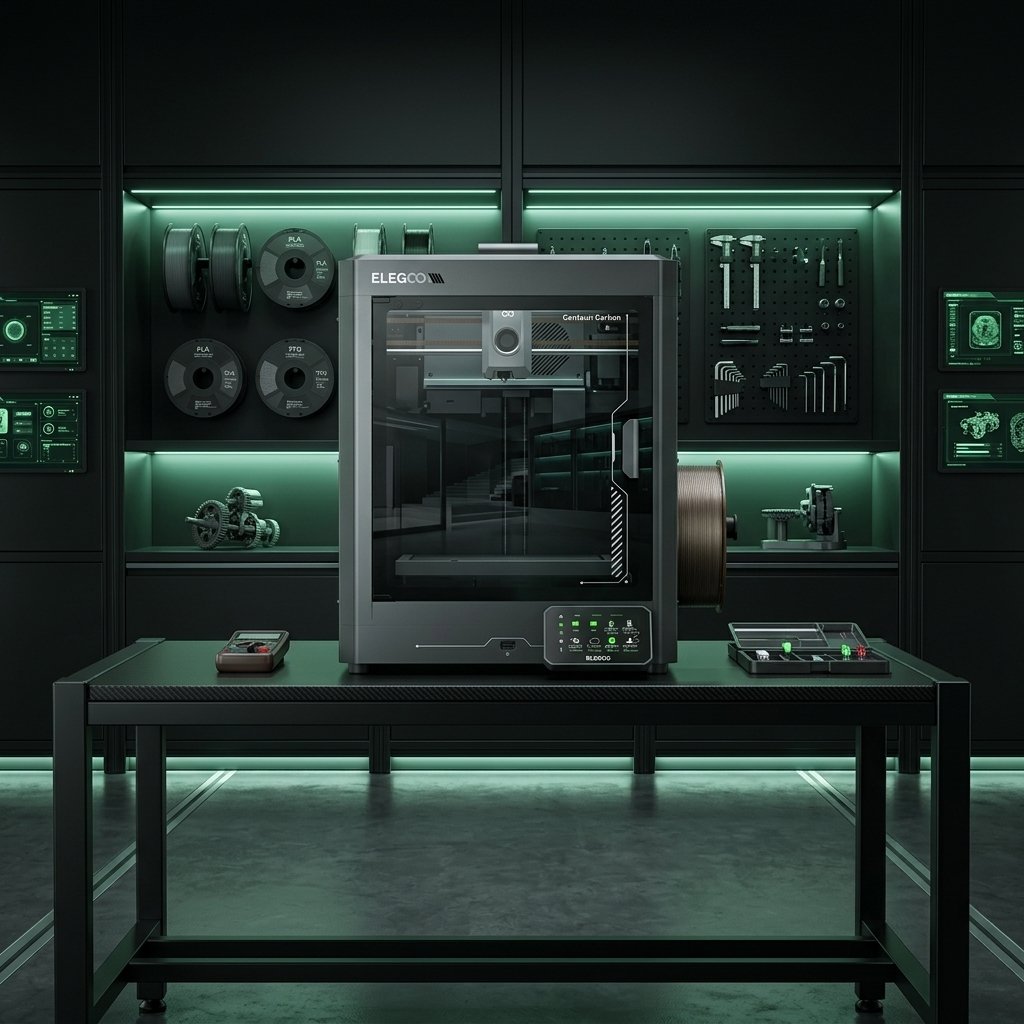
Elegoo Centauri Carbon FDM Printer: Setup & Review
Discover the Elegoo Centauri Carbon high-speed CoreXY FDM printer. Read our expert review, tech specs, auto-calibration tips, and Klipper setup guide.
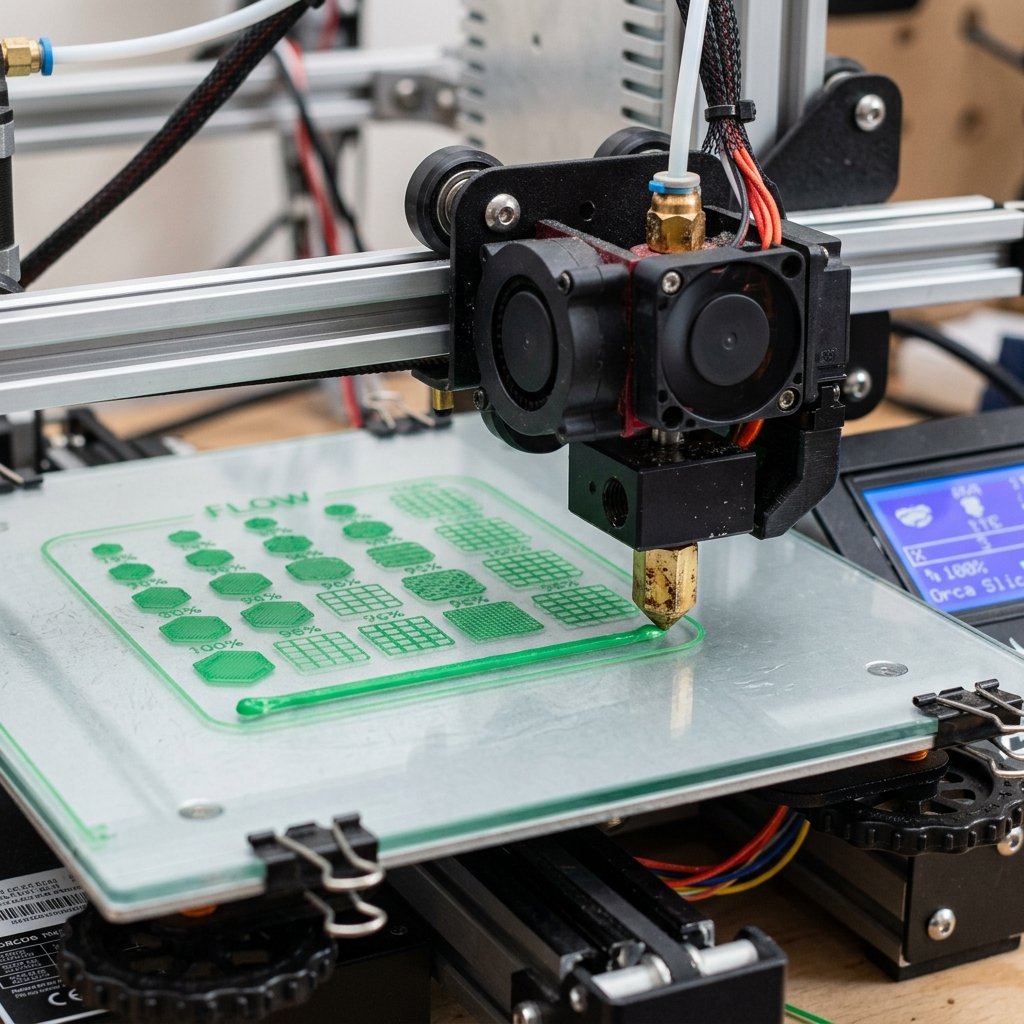
How to Calibrate Filaments in Orca Slicer: Full Guide
A comprehensive, step-by-step tutorial on using Orca Slicer's built-in tools to calibrate flow rate, temperature, and pressure advance for third-party filaments.
Frequently Asked Questions (FAQ)
1. Can the Flashforge Adventurer 5M Pro print carbon-fiber filaments like the Creality K1C?
Yes, provided you install Flashforge's hardened steel quick-release nozzle assembly (commonly offered in 0.6 mm and 0.8 mm sizes) and keep extrusion temperatures at or below its 280°C ceiling. That easily covers PLA-CF and PETG-CF, though the Creality K1C comes hardened out of the box and reaches 300°C for higher-temperature PA-CF nylons.
2. Which printer is quieter and safer inside a bedroom or shared office?
The Flashforge Adventurer 5M Pro is generally the better fit for indoor living and office spaces. Its internal recirculation mode routes chamber air through a sealed dual-layer HEPA 13 and activated-carbon filter cartridge while keeping fans steadier around 50 to 55 dB, whereas the K1C only uses a thin carbon exhaust pad without HEPA filtration and gets noticeably louder when its side auxiliary cooling fan ramps up.
3. Do I need to root the Creality K1C right away to get good print quality?
No. Stock Creality OS runs clean Klipper input shaping, automatic bed leveling, and OrcaSlicer presets straight out of the box. Rooting is purely optional if you later want full Fluidd/Mainsail web access, KAMP adaptive bed meshing, or custom Klipper macros.
4. Is 220 × 220 × 220 mm too small compared to the K1C's 250 mm height?
For most functional brackets, organizers, Gridfinity bins, and small enclosures, 220 mm cubed handles everyday projects fine. Only taller single-piece props, vertical lamp shades, and upright brackets between 225 mm and 250 mm specifically benefit from the K1C's extra Z clearance.
5. Are both printers compatible with third-party 1.75 mm filament spools?
Yes. Neither printer locks you into proprietary spools or RFID chips. Both feed standard 1 kg spools from Polymaker, Sunlu, eSUN, Elegoo, and Anycubic cleanly, and drying hygroscopic PETG or TPU prior to loading improves surface finish on both machines.
References & External Sources
- Creality Official Wiki: K1C Flagship Series Hardware Specifications, Unicorn Nozzle & Setup Documentation
- Flashforge Official Product Specifications: Adventurer 5M Pro HEPA 13 Filtration & Quick-Release Nozzle Specs
- Flashforge Official Wiki: Adventurer 5M Series Manuals, Maintenance & Filter Replacement Guides
- Klipper 3D Official Documentation: Resonance Compensation & CoreXY Input Shaper Tuning
- OrcaSlicer Official Project: Built-In Printer Presets, Flow Calibration & Klipper Device Integration
About the Author: Dinu Suciu
I am Dinu Suciu, founder and prototyping maker at 3D Print Book. Operating an active maker workshop equipped exclusively with desktop FDM 3D printers—including enclosed high-speed CoreXY machines and multi-material setups—I focus on practical hardware testing, slicer calibration, and reliable production of functional parts. Need help picking a machine or troubleshooting custom prototypes? Get in touch through our Contact Page.