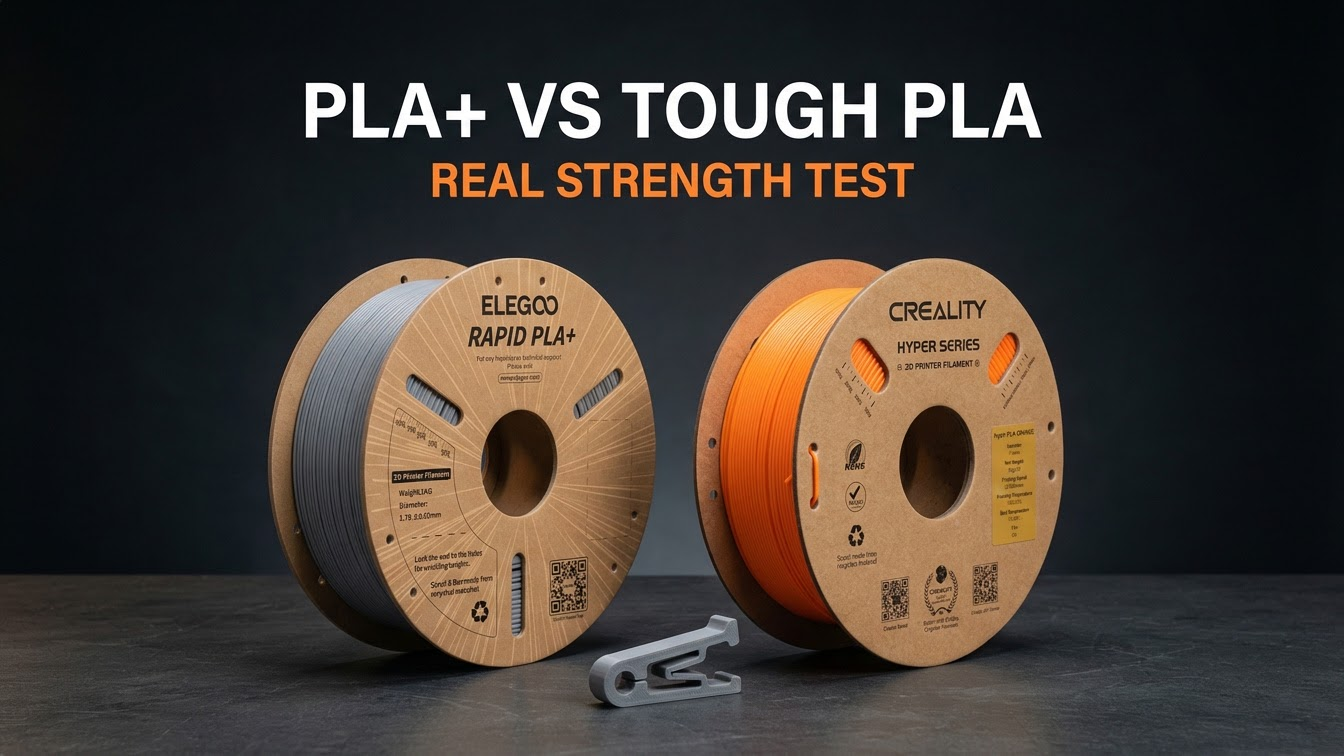

Walk down any filament store page today and you will see three confusing labels competing for your cart: standard PLA+, high-speed PLA+ (such as Rapid PLA+ or Hyper PLA), and premium Tough PLA. Every spool promises higher strength, fewer broken parts, and smooth printing at 300 mm/s, often at wildly different prices per kilogram. Many makers buy Tough PLA expecting PETG-like durability without stringing, only to watch a bracket sag in a warm car or snap along a poorly oriented layer line.
The confusion comes from how manufacturers use the word "strength." In polymer engineering, stiffness, tensile pull resistance, and impact toughness pull in opposite directions. Adding rubber-like impact modifiers makes a part survive a drop onto concrete, yet usually lowers raw stiffness and drops heat resistance slightly. Because there is no single industry rule defining what qualifies a spool to wear a "PLA+" or "Tough" badge, the gap between a $13 budget PLA+ spool and a $32 engineered Tough PLA spool depends heavily on what you are actually printing.
This buyer's guide separates marketing labels from workshop physics. Drawing on polymer datasheet benchmarks and practical FDM tests across Elegoo, Creality, Anycubic, and Bambu-style profiles, we compare standard PLA+, high-speed PLA+, and impact-modified Tough PLA across tensile stiffness, snap-fit survival, thermal limits, and cost per kilogram so you only pay extra where it changes part survival.
Table of Contents
- Is Tough PLA Actually Stronger Than Standard PLA+ for Functional Prints?
- Impact Resistance vs. Tensile Stiffness: What Modifiers Really Change
- PLA, PLA+, High-Speed PLA+, Tough PLA, and PETG Comparison Matrix
- High-Speed Printability on Elegoo, Creality, and Bambu Profiles
- Maker's Workshop Note: Snap-Fit Clips and Drop Tests on the Bench
- Price Per Kilogram: When to Buy PLA+, Tough PLA, or Switch to PETG
- Slicer Settings That Matter More Than Spool Labels
- Frequently Asked Questions (FAQ)
- References & External Sources
Is Tough PLA Actually Stronger Than Standard PLA+ for Functional Prints?
Tough PLA bends visibly before breaking and absorbs sudden drop impacts far better than standard PLA or budget PLA+, yet standard PLA+ is often stiffer under slow static loads—and both formulations still soften around 55°C to 60°C. For indoor brackets, organizers, and low-stress fixtures, affordable PLA+ delivers better value per kilogram, while PETG or ASA remains mandatory whenever parts face heat, sunlight, or sustained clamping pressure.
That distinction solves the biggest misconception among buyers shopping for the best 3D printing filament types. When a spool is labeled "Tough PLA" (such as Polymaker PolyMax PLA or Bambu PLA Tough+), chemists blend impact-modifying elastomers or acrylic copolymers into the polylactic acid base. Those microscopic rubbery domains stop sharp cracks from racing through the part when it hits a hard floor or bends past its yield point.
Standard PLA+ and high-speed PLA+ formulations usually take a lighter approach. They combine higher-purity PLA resin with smaller doses of plasticizers, nucleating agents, and flow enhancers so the plastic melts quickly at 210°C to 230°C and bonds cleanly between layers without losing its signature rigidity. As a result, comparing PLA+ against Tough PLA is really a choice between three distinct behaviors:
- Rigid stiffness (holding shape without flexing): Standard PLA and rigid PLA+ win here. A straight shelf bracket or camera mount printed in stiff PLA+ flexes less under steady weight than a heavily impact-modified Tough PLA part of identical wall thickness.
- Impact toughness and ductility (surviving drops and snap-fits): Impact-modified Tough PLA wins decisively. On notched Charpy impact tests published in manufacturer technical data sheets, engineered Tough PLA grades frequently score several times higher than standard rigid PLA, bending with white stress marks instead of shattering into sharp fragments.
- Thermal survival (car interiors, enclosures, sunlit windows): Neither wins. Polylactic acid has a glass transition temperature (Tg) near 55°C to 61°C regardless of impact additives. Unless you specifically buy an annealable high-temperature HTPLA blend and bake the finished print, both PLA+ and Tough PLA warp in summer heat.
Impact Resistance vs. Tensile Stiffness: What Modifiers Really Change
Understanding why Tough PLA feels less stiff yet survives rougher handling comes down to the trade-off between Young's modulus (stiffness) and elongation at break (ductility).
Unmodified standard PLA is surprisingly strong in pure tension—often testing between 50 MPa and 60 MPa in X/Y print orientation—and exhibits a high tensile modulus around 3,000 MPa to 3,500 MPa. In plain terms, it resists stretching very well. Its weakness is brittleness: once strain exceeds roughly 2% to 4%, energy has nowhere to go and the part snaps abruptly. That is why thin PLA battery door latches crack the third time you thumb them open.
When filament formulators create a genuine Tough PLA, they sacrifice 20% to 35% of that raw stiffness (dropping tensile modulus closer to 2,000–2,400 MPa and tensile yield strength closer to 40–45 MPa) in exchange for dramatic gains in crack arrest and impact energy absorption. Instead of snapping cleanly at 3% deflection, a Tough PLA clip yields, turns slightly pale along the bend radius (a phenomenon called crazing or stress-whitening), and stays in one piece.
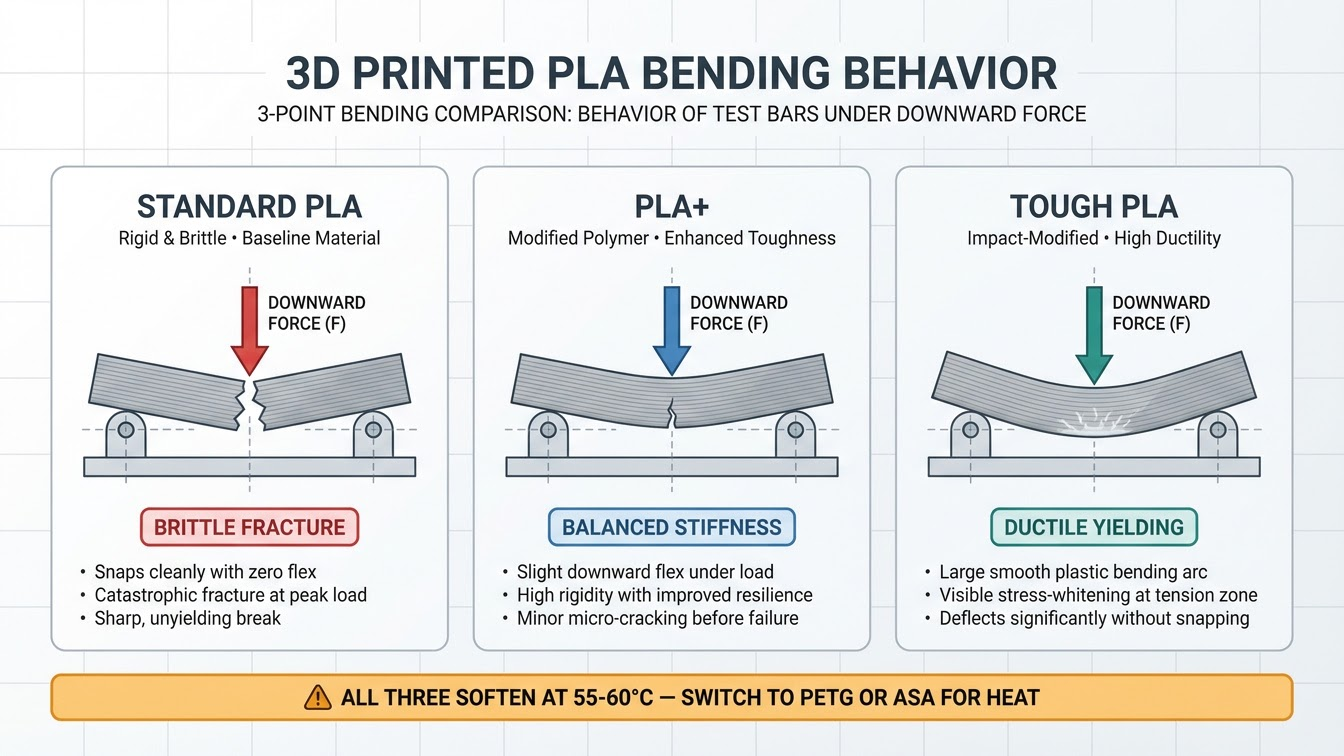
Standard budget PLA+ sits in the middle of that curve, though its exact recipe varies widely by brand. Some manufacturers use the "+" label for a genuine mild impact-modified blend that improves layer adhesion and drops brittleness noticeably. Others mainly tune melt flow index and pigment dispersion so the filament extrudes smoothly at 250 mm/s to 500 mm/s without ringing or under-extrusion.
"Do not treat Tough PLA as high-temperature ABS. Impact modifiers fix shatter resistance at room temperature, not the 58°C glass transition wall—and on most functional parts, switching from 2 walls to 4 walls adds more real durability than switching spools alone."
Why Creep Under Constant Load Still Affects Both
One mechanical limitation that catches makers off guard is polymer creep—slow, permanent deformation under continuous static stress over weeks or months. Both PLA+ and Tough PLA exhibit noticeable creep when bolted tightly against metal hardware or pressed by stiff springs. Adding rubbery impact modifiers to Tough PLA can actually increase creep slightly under steady clamping force compared to stiffer PLA or glass-filled nylon.
If your functional print holds a heavy power brick against a desk leg or clamps a router spindle tight with M5 screws, PLA+ and Tough PLA can gradually relax until the bolts loosen. Adding steel washers to spread clamp load helps indoors, while PETG or ABS/ASA handles long-term spring tension far better.
PLA, PLA+, High-Speed PLA+, Tough PLA, and PETG Comparison Matrix
Comparing typical mechanical, thermal, printing, and pricing benchmarks across standard PLA, everyday PLA+, high-speed formulations like Elegoo Rapid PLA+ and Creality Hyper PLA, engineered Tough PLA, and PETG clarifies which spool matches your workload.
| Metric / Buyer Factor | Standard PLA | Everyday PLA+ (e.g. Anycubic PLA+) | High-Speed PLA+ (Elegoo Rapid PLA+ / Creality Hyper PLA) | Engineered Tough PLA | High-Flow PETG (Elegoo PETG-HF) |
|---|---|---|---|---|---|
| Typical Street Price (1 kg) | $12 – $18 | $13 – $20 | $14 – $22 | $25 – $35 | $15 – $22 |
| Nozzle Temp Window | 195°C – 215°C | 205°C – 225°C | 210°C – 235°C | 205°C – 230°C | 235°C – 255°C |
| Tensile Stiffness (Modulus) | High (~3,100–3,500 MPa) | Medium-High (~2,700–3,200 MPa) | High (~2,800–3,300 MPa) | Moderate (~2,000–2,400 MPa) | Lower (~1,900–2,200 MPa) |
| Impact & Snap Survival | Low (snaps cleanly) | Moderate (less brittle) | Moderate (good Z-bond) | Very High (bends before break) | High (flexible & tough) |
| Heat Deflection Ceiling | ~55°C – 58°C | ~55°C – 60°C | ~55°C – 60°C | ~52°C – 58°C | ~70°C – 78°C |
| Max Flow Rate (0.4 mm) | 12 – 18 mm³/s | 15 – 22 mm³/s | 22 – 28+ mm³/s | 14 – 20 mm³/s | 15 – 22 mm³/s |
| Drying & Stringing Effort | Minimal (low moisture sensitivity) | Low (dry 4h at 50°C if popping) | Low (keep sealed below 25% RH) | Low-Moderate (check additives) | High (must dry 6h at 60–65°C) |
| Best Workshop Use Case | Visual models, rigid jigs | Daily organizers, tools, cases | Fast CoreXY prototyping & batches | RC mounts, latches, drop-prone housings | Outdoor clips, warm car mounts |
| Check Best Price | — | Check Price | Check Price | Check Price | Check Price |
Restocking PLA+ or High-Speed Filament Spools?
Multi-spool bundles often cut the cost of high-speed PLA+ and PETG down below $12 per kilogram, making it easy to keep both rigid and impact-resistant spools on your shelf. Browse our curated 3D Printing Deals & Coupons page for verified partner discounts and filament multi-packs:
High-Speed Printability on Elegoo, Creality, and Bambu Profiles
High-speed PLA+ spools such as Elegoo Rapid PLA+ and Creality Hyper PLA are specifically formulated for lower melt viscosity and faster crystallization, letting modern CoreXY and fast bed-slinger printers hold consistent extrusion above 250 mm/s without matte under-extruded streaks.
When high-speed printers like the Bambu Lab P1S, Creality K1C, or Elegoo Centauri Carbon push volumetric flow rates past 20 mm³/s, ordinary standard PLA or thick Tough PLA blends often hit a thermal bottleneck. Because standard long-chain PLA absorbs heat slowly inside a standard-length melt zone, the center of the 1.75 mm strand exits cooler than the outer wall. You see that immediately on glossy colors: slow corners look shiny, while long fast walls turn dull and weak because interlayer bonding dropped.
High-speed PLA+ formulations counter this in two ways:
- Higher Melt Flow Index (MFI): Shorter polymer chains or flow modifiers lower viscosity at 215°C to 225°C, reducing extruder gear back-pressure and letting a standard 0.4 mm nozzle sustain 22 to 28 mm³/s cleanly.
- Faster solidification under part cooling: High-speed formulas recrystallize quickly when hit by dual auxiliary cooling fans, keeping 50° overhangs crisp at 300 mm/s instead of curling upward like slower, gummy Tough PLA blends sometimes do.
By contrast, many true impact-modified Tough PLA spools prefer moderate speeds—around 120 mm/s to 200 mm/s outer walls—and slightly higher nozzle temperatures (215°C to 225°C) with 60% to 80% fan speed rather than 100% full blast. Running Tough PLA at 300 mm/s with aggressive cooling can strip away the very interlayer fusion you paid extra to get.
Maker's Workshop Note: Snap-Fit Clips and Drop Tests on the Bench
Maker's Workshop Note (Dinu Suciu)
In my workshop tests on my Creality and Bambu Lab FDM printers, I regularly print functional cable clips, battery caddy latches, and workbench tool holders where parts take repeated thumb pressure or get knocked onto concrete floors. When printing rigid Gridfinity bins or wall-mounted caliper racks with Elegoo Rapid PLA+ and Creality Hyper PLA at 220°C and 250 mm/s, dimensional tolerances stay tight and snap-in magnets press smoothly without cracking the rim.
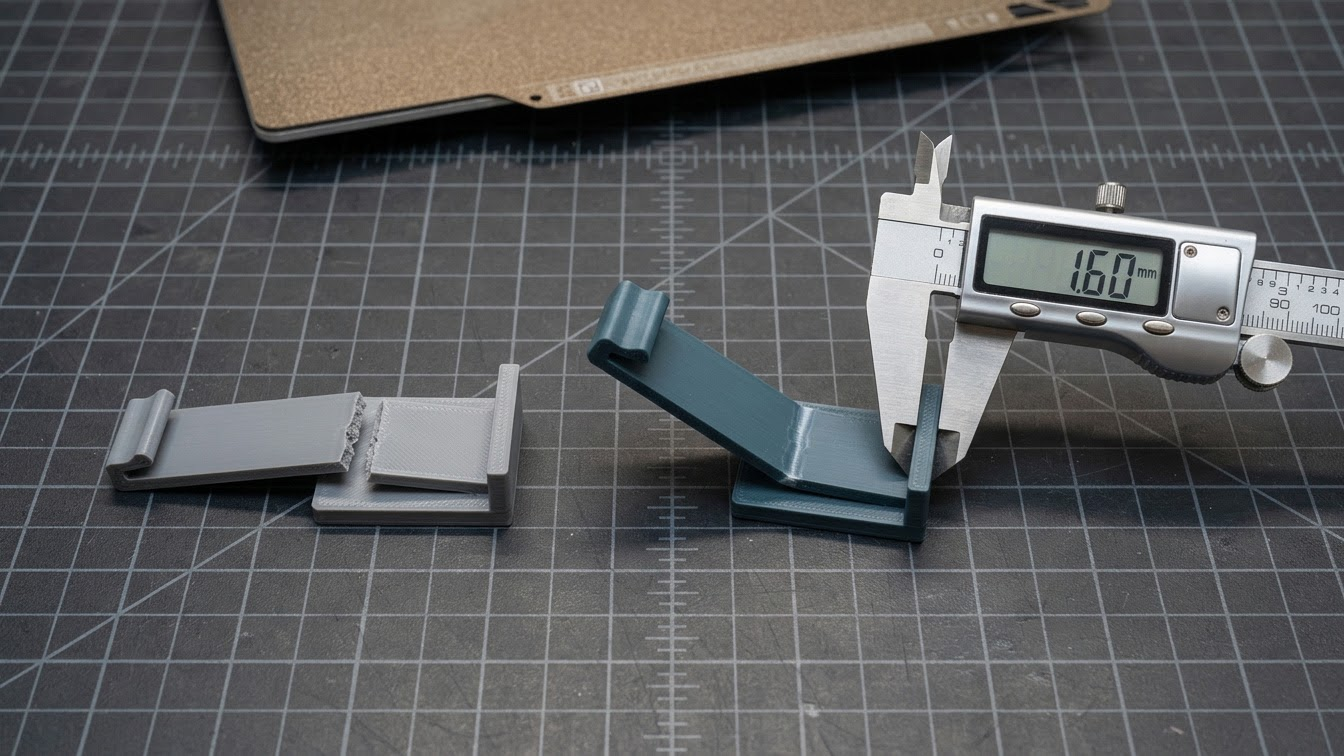
Where standard rigid PLA+ showed its limit was on thin cantilever snap-fit clips under 1.6 mm thick: after 20 to 30 flex cycles, or after dropping a loaded tool tray waist-high onto the shop floor, sharp corners in regular PLA fractured cleanly across the bend. Switching those exact clip geometries to an impact-modified Tough PLA—slowed down to 140 mm/s outer walls with 70% cooling—allowed the latch to flex and turn slightly pale at the hinge instead of snapping off. Yet when a customer needed an identical dash-mounted bracket for a delivery van, I skipped Tough PLA altogether and printed it in PETG because even tough PLA softens in direct sun behind a windshield.
Price Per Kilogram: When to Buy PLA+, Tough PLA, or Switch to PETG
Paying $28 to $35 per kilogram for Tough PLA makes financial sense only for impact-prone indoor parts with thin flex features; for 80% of everyday functional prints, a $14 to $18 PLA+ spool is more economical, and for any thermal or outdoor load, $16 PETG outperforms both.
Before defaulting to the most expensive PLA variant on a product page, match the filament tier to the actual failure mode of your part. If you are deciding across different spool tiers for a print farm or workshop shelf, check our detailed breakdown of best 3D printing filament brands across budget and premium tiers.
- Buy Everyday or High-Speed PLA+ ($13 – $22/kg) when: You print workshop drawers, fixture jigs, board game inserts, rigid brackets, enclosures that stay indoors under 45°C, or multi-part prototypes where dimensional crispness and fast print times matter most. For high-speed CoreXY machines, Elegoo Rapid PLA+ and Creality Hyper PLA consistently beat expensive Tough PLA on print speed and surface clean-up.
- Buy Engineered Tough PLA ($25 – $35/kg) when: Your design has thin snap-fit tabs, living clips, protective drone/RC bumpers, or handheld tool housings that stay indoors at room temperature but get dropped repeatedly, and you want zero PETG stringing or multi-hour drying prep.
- Skip Both and Buy PETG or ASA ($15 – $28/kg) when: The part goes inside a car, sits in direct sunlight, mounts near a heated extruder or power supply, holds continuous bolt compression, or contacts water outdoors. You can compare thermal ceilings, moisture pickup, and UV stability side by side in our FDM materials comparison of PLA, PETG, ABS, and ASA.
Slicer Settings That Matter More Than Spool Labels
Changing three slicer parameters—adding extra perimeter wall loops, moderating part-cooling fan speed, and orienting bending loads parallel to the print bed—improves part survival more reliably than upgrading from budget PLA+ to expensive Tough PLA.
Many makers blame brittle PLA+ when the real culprit is a slicer default tuned for speed and pretty overhangs rather than mechanical strength:
- Increase wall loops before raising infill: Going from 2 wall loops to 4 or 5 wall loops (with 20% to 25% Gyroid infill) strengthens thin brackets and screw bosses far more than jumping to 60% infill with 2 thin walls.
- Drop part cooling slightly on structural prints: On enclosed printers (with the door cracked or lid vented for PLA) and open bed-slingers alike, running PLA+ at 215°C–220°C with 60%–75% cooling on non-overhang layers lets adjacent lines weld deeper together instead of freezing on contact.
- Orient snap-fits flat in X/Y: Because FDM parts are weakest across Z-axis layer seams, never print a thin latch standing upright if it bends side-to-side. Laying the bending arm flat on the PEI plate aligns continuous filament strands along the tension path—explore the load numbers in our guide on how print orientation affects tensile strength.
- Dry old spools even for PLA+: While PLA absorbs moisture far slower than PETG or nylon, an open spool sitting in a humid basement for three months becomes noticeably more brittle. Four hours at 45°C to 50°C in a filament dryer restores clean extrusion and flexibility.
Related Guides & Next Steps
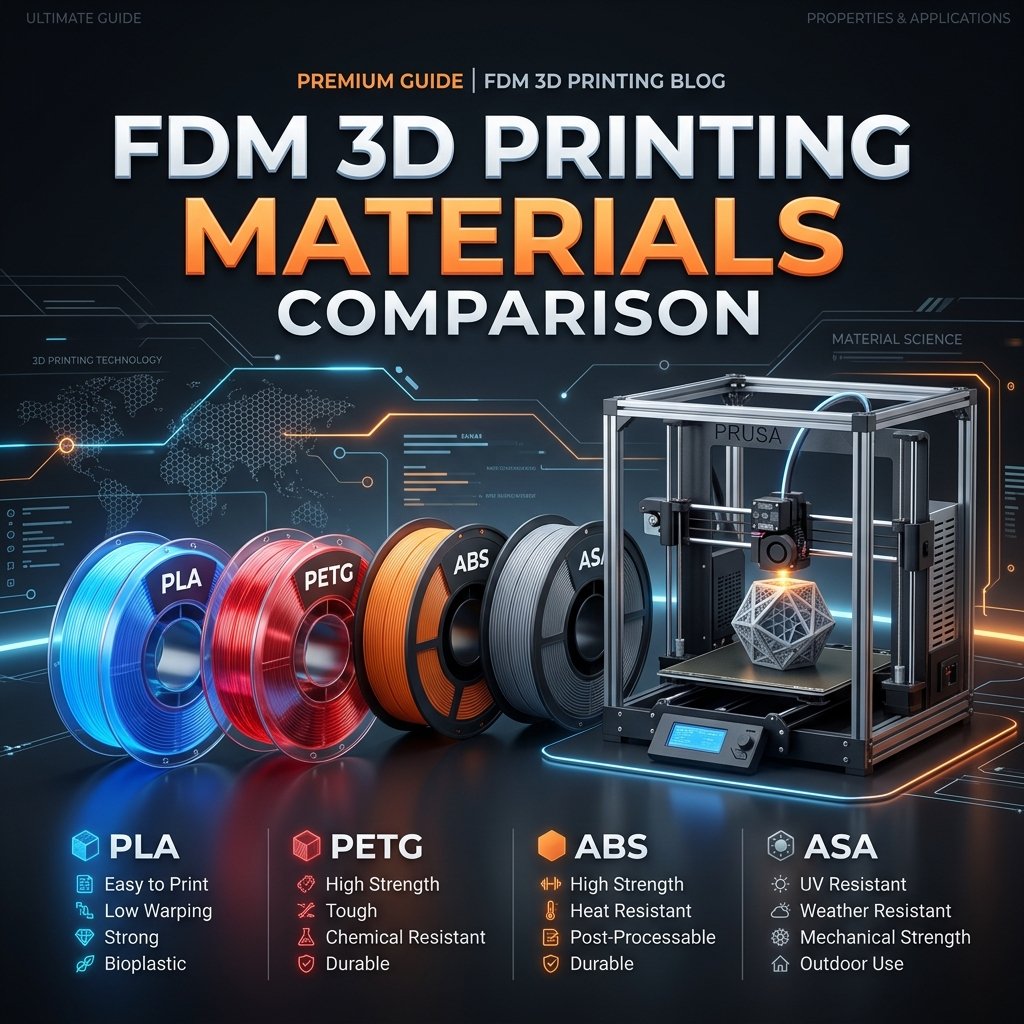
FDM Materials Comparison: PLA vs PETG vs ABS vs ASA
A comprehensive comparison of the most common FDM 3D printing filaments. Learn the differences in strength, temperature resistance, and printability between PLA, PETG, ABS, and ASA.
Print Orientation: Maximize Tensile Part Strength
Master FDM print orientation to eliminate layer delamination and maximize mechanical strength. Discover X/Y vs Z-axis anisotropy, 45-degree slicing, and load-path alignment.
Frequently Asked Questions (FAQ)
1. Is PLA+ the same thing as Tough PLA?
No, though brands overlap the naming. "PLA+" is an unregulated marketing label covering everything from slightly tougher everyday PLA to high-speed formulations tuned mainly for fast melt flow. "Tough PLA" usually refers to impact-modified blends engineered specifically for high ductility and drop resistance, often matching or exceeding ABS impact toughness at room temperature.
2. Can Tough PLA handle hot cars or outdoor summer sun?
No. Standard impact-modified Tough PLA still has a glass transition temperature around 55°C to 60°C. Inside a parked car on a sunny afternoon, temperatures easily exceed 65°C to 75°C and will warp Tough PLA just like regular PLA. Use PETG, ASA, or annealed HTPLA for warm environments.
3. Does Tough PLA wear out brass nozzles faster than regular PLA?
Unfilled natural or standard-color Tough PLA and PLA+ are non-abrasive and print safely through standard 0.4 mm brass or stainless steel nozzles. Only matte mineral-filled, glow-in-the-dark, glitter, or carbon-fiber variants require hardened steel nozzles.
4. Why did my PLA+ print still snap along a layer line?
Snap failures along flat layer seams usually point to Z-axis print orientation, excessive cooling fan speed at high print speeds, or printing below 205°C on a high-speed profile. Rotating the part so bending forces run parallel to the build plate and adding 2 extra wall loops normally fixes the break.
5. Is High-Speed PLA+ weaker than slow-printed PLA+?
Not inherently, provided your hotend actually melts the polymer evenly at your chosen speed. High-speed formulas like Elegoo Rapid PLA+ and Creality Hyper PLA flow faster so layer fusion stays solid at 250–300 mm/s, though printing ultra-thin functional clips slightly slower (120–160 mm/s) still yields stronger interlayer welding.
References & External Sources
- Prusa Research Knowledge Base: PLA Filament Properties, Temperature Ranges, and Mechanical Limits
- Prusa Research Knowledge Base: PETG Material Guide and Comparison to PLA for Functional Parts
- Bambu Lab Wiki: Official Filament Compatibility, Nozzle Wear, and Drying Table
- Simplify3D Materials Guide: Polylactic Acid (PLA) Strength, Stiffness, and Thermal Behavior
About the Author: Dinu Suciu
I am Dinu Suciu, founder and prototyping specialist at 3D Print Book. Operating an active maker workshop equipped exclusively with desktop FDM 3D printers—ranging from enclosed CoreXY platforms to high-speed direct-drive rigs—I test materials, slicer profiles, and mechanical joints for real-world durability. Have a question about choosing filament for a functional project or custom prototype? Reach out through our Contact Page.