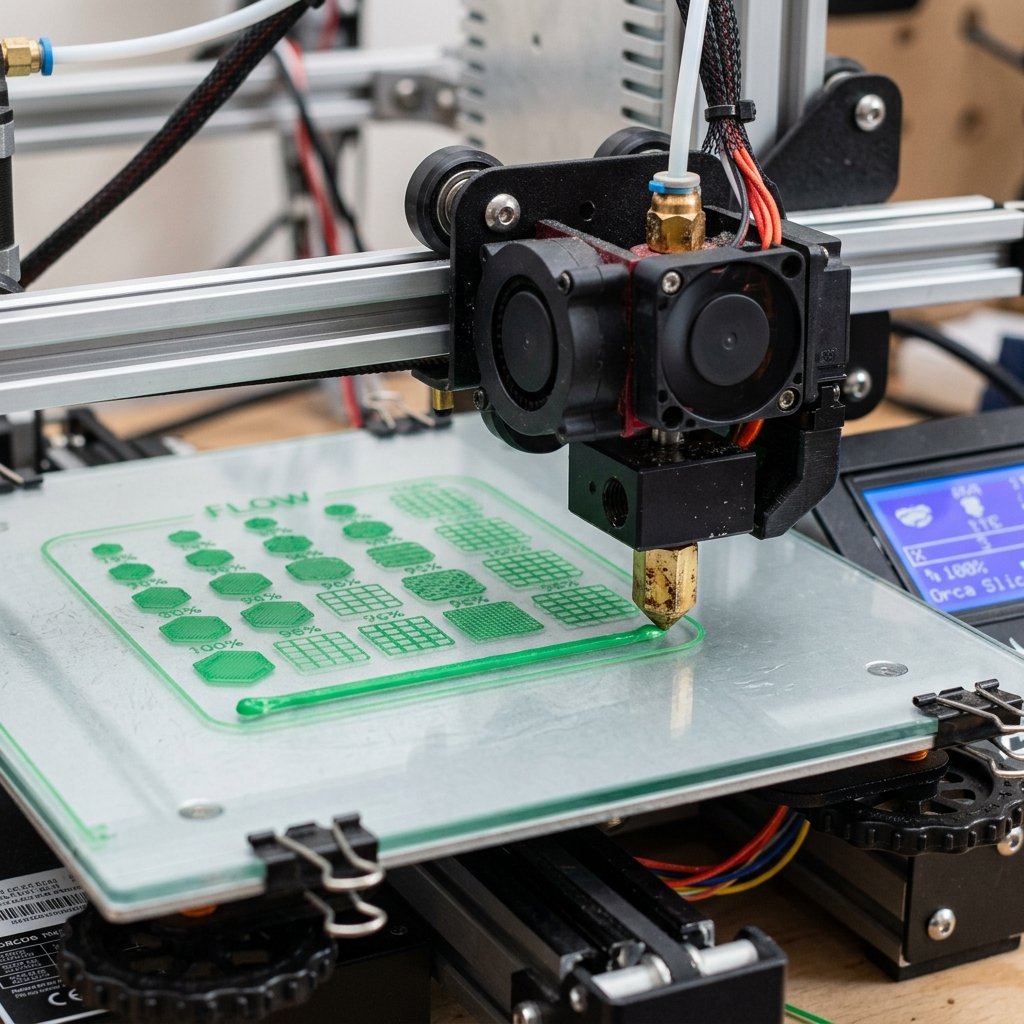
The rapid evolution of high-speed desktop FDM 3D printing has transformed slicers from simple G-code generators into sophisticated toolpath orchestration engines. When Bambu Studio debuted, it set a high benchmark for user accessibility, cloud synchronization, and streamlined multi-color printing. However, practical makers operating varied machine configurations quickly encountered artificial boundaries. The community fork, Orca Slicer, emerged to address these exact limitations, integrating powerful firmware controls, deep procedural calibration workflows, and refined perimeter smoothing algorithms.
In my workshop operations running multiple enclosed CoreXY machines alongside open-frame bed slingers, slicing software dictates print success far more than minor hardware differences. Slicing with stock presets works acceptably on pristine manufacturer filaments, but third-party engineering spools demand precise flow ratios, tailored pressure advance values, and granular fan modulation. In this technical benchmark, I examine the fundamental architectural divergence between Orca Slicer and Bambu Studio, detailing the concrete features that make Orca the preferred slicing platform for discerning makers.
Table of Contents
- The Architectural Fork: How Orca Slicer Outpaces Bambu Studio
- Built-in Direct Calibration Suites: Beyond Generic Filament Profiles
- Advanced Perimeter and Seam Controls: Scarf Joints and Precise Walls
- Technical Benchmark Matrix: Orca Slicer vs. Bambu Studio
- Wireless Fleet Management: Multi-Printer Control for Mixed Setups
- Advanced Toolpath Mechanics: Sandwich Mode, Overhangs, and Small Area Flow
- Maker's Workshop Note: Empirical Benchmarking on Creality K1 and Bambu P1S
- Frequently Asked Questions (FAQ)
- References & External Sources
The Architectural Fork: How Orca Slicer Outpaces Bambu Studio
Orca Slicer outpaces Bambu Studio by decoupling slicing logic from vendor-specific ecosystems, integrating upstream open-source innovations, and granting users direct access to firmware-level motion controls.
While Bambu Studio was built as a focused, highly optimized tool for proprietary hardware ecosystems, its development trajectory prioritizes seamless consumer ergonomics over deep parametric customization. Proprietary forks often obscure advanced kinematics settings, lock down firmware network communication behind proprietary cloud tunnels, and delay integrating community patches until they align with broad commercial product roadmaps.
In contrast, Orca Slicer originated as a community-driven fork maintained by SoftFever, synthesizing the finest architectural aspects of PrusaSlicer, SuperSlicer, and Bambu Studio. The development philosophy behind Orca is rooted in hardware agnosticism and practical workshop utility:
- Universal Hardware Kinematics: Whether you operate a Bambu Lab P1S, an enclosed Creality K1C running native Klipper, a Voron 2.4, an Elegoo Centauri Carbon, or a modified Ender 3 bed-slinger, Orca treats all kinematics as first-class citizens—making it a reliable companion for any machine in our best FDM 3D printers of 2026 guide.
- Rapid Algorithmic Iteration: Cutting-edge toolpath features such as scarf joint seams, small area flow compensation, and sandwich wall ordering were thoroughly tested and refined in Orca months before appearing in commercial slicer updates.
- Decoupled Networking: Orca Slicer provides direct, native socket connections to Moonraker, Fluidd, Mainsail, OctoPrint, and RepRap firmware web interfaces, eliminating mandatory cloud logins and internet dependencies.
- Deep Profile Granularity: Advanced volumetric cooling overrides, acceleration caps per feature type, and jerk thresholds can be tuned individually per filament and per process layer.
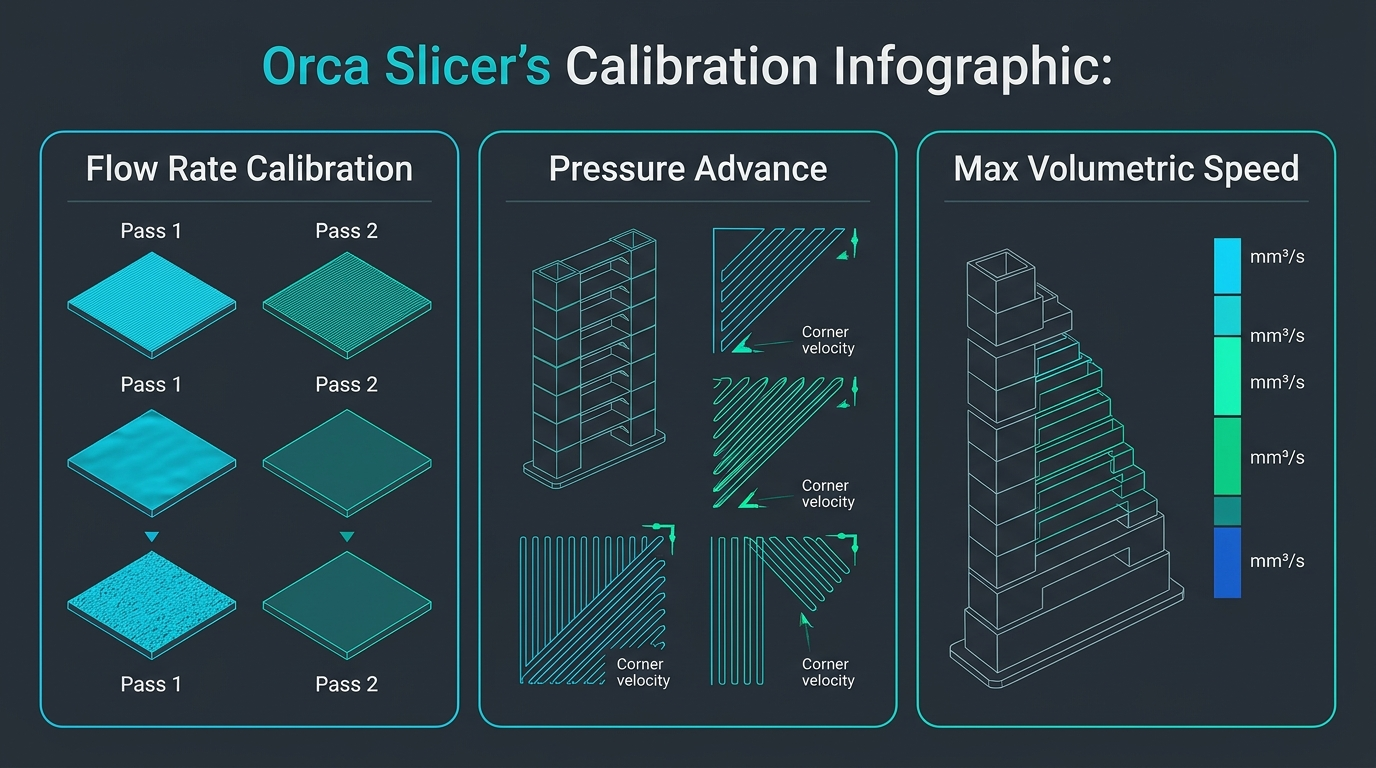
Figure 1: Orca Slicer native calibration workspace featuring integrated automated benchmarks for flow rate, pressure advance, and maximum volumetric melt speed.
Built-in Direct Calibration Suites: Beyond Generic Filament Profiles
Built-in direct calibration suites in Orca Slicer eliminate manual test model generation by embedding algorithmic flow rate, pressure advance, temperature, and volumetric flow tests directly into the top navigation bar.
One of the most persistent bottlenecks in high-speed FDM 3D printing is dialing in unfamiliar or budget filament spools. In Bambu Studio, calibrating a third-party spool requires either relying on automated lidar scans (which are unavailable on P1 series or third-party printers and often struggle with textured PEI or dark matte filaments) or downloading external STL models, manually modifying G-code layer triggers, and guessing numeric increments.
Orca Slicer completely reorganizes this workflow by embedding a procedural Calibration Menu directly into the top application header. With two clicks, Orca auto-generates calibrated test arrays across your active build sheet:
1. Two-Pass Flow Rate Calibration
Extrusion multiplier tuning is divided into a coarse Pass 1 and a fine Pass 2. Pass 1 prints nine rectangular test chips ranging from -20% to +15% flow variance in 5% increments. Once you inspect the top surfaces with a fingertip to find the smoothest finish, Pass 2 generates a secondary array in precise 1% steps. This systematic routine identifies the exact flow ratio required for glassy top layers without top surface over-extrusion or micro-voids.
2. Pressure Advance (Linear Advance) Tuning
Corner bulging and line start oozing stem from nozzle pressure hysteresis during acceleration and deceleration phases. Orca Slicer provides three distinct Pressure Advance calibration modes:
- Line Method: Prints rapid acceleration lines across the bed, depositing material from low to high K-values (0.000 to 0.100 for direct-drive; 0.00 to 1.00 for Bowden). The sharpest, most uniform transition line identifies the ideal K-factor within 4 minutes.
- Tower Method: Slices a continuous hexagonal or square tower where the K-value scales linearly along the vertical Z-axis. This allows tactile inspection of corner sharpness under sustained dynamic print speeds.
- Corner Pattern: Prints isolated right-angle paths at full toolhead acceleration, highlighting seam bulge elimination under real-world kinematic load.
3. Maximum Volumetric Flow Rate Test
High-speed printers frequently outrun their hotend melting capacity. When a slicer commands 300 mm/s on a 0.4 mm nozzle at 0.20 mm layer height, the required volumetric flow can exceed 24 mm³/s, inducing extruder gear clicking, under-extrusion, and brittle delaminating walls. Orca's built-in volumetric speed test prints a curved vase tower that automatically ramps flow rate upward by 0.5 mm³/s per millimeter of height. Makers can visually observe where the extruded wall transitions from glossy to matte and brittle, establishing the exact hardware flow ceiling for each specific polymer.
To dive deeper into setting up these parameters in your workshop, read our dedicated guide on how to calibrate filaments in Orca Slicer.
Advanced Perimeter and Seam Controls: Scarf Joints and Precise Walls
Orca Slicer provides revolutionary perimeter control through scarf joint seam algorithms and precise wall flow adjustments, replacing visible Z-seam ridges with feathered, continuous wall transitions.
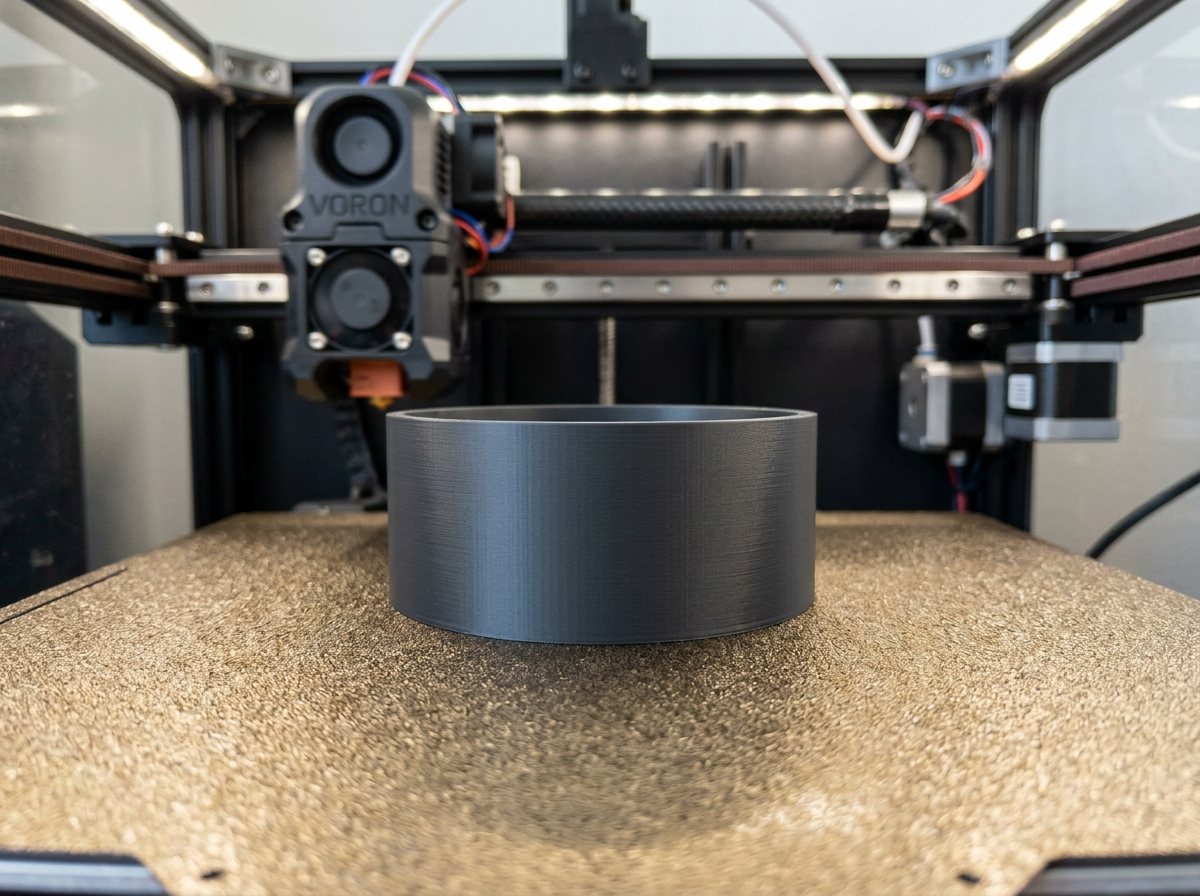
The traditional vertical Z-seam has plagued FDM 3D prints since the technology's inception. Because slicers conventionally stop extrusion at the perimeter loop boundary, move to the next layer, and restart extrusion at the same coordinate, the resulting start-stop pressure spikes create noticeable surface pimples, holes, or raised vertical scars. Bambu Studio offers standard seam placement options (Aligned, Nearest, Back, Random) along with manual seam painting brushes, but the underlying extrusion geometry remains a blunt butt-joint.
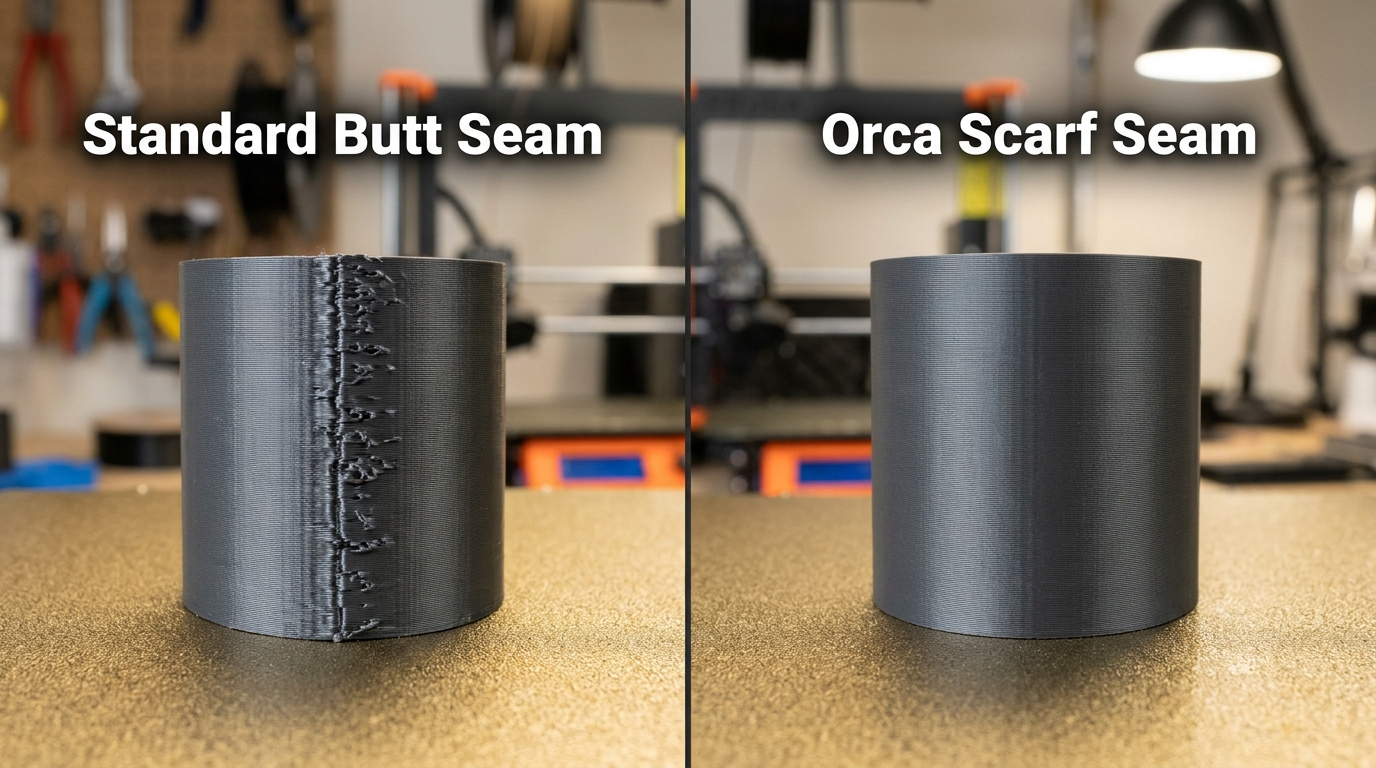
Figure 2: Workshop macro comparison on a textured PEI plate. Left: Standard butt seam leaves a pronounced raised ridge. Right: Orca Slicer scarf joint produces a continuous, virtually invisible surface.
Orca Slicer fundamentally re-engineers this perimeter handoff with Scarf Joint Seams. Inspired by traditional woodworking carpentry, the scarf seam bevels the toolpath lead-in and lead-out into an angled, overlapping ramp:
- Feathered Extrusion Overlap: As the nozzle approaches the end of an outer wall loop, extrusion flow gradually tapers down to zero over a customizable 15 mm to 30 mm ramp distance. Simultaneously, the nozzle begins the next loop along that identical incline, tapering flow from zero back to 100%.
- Zero Pressure Pulse: Because there is no sudden volumetric shutoff or pressure shock inside the hotend melt zone, the seam blends smoothly into the adjacent perimeter wall.
- Rotational Seam Staggering: On cylindrical models and decorative vases, Orca can automatically step the scarf start location around the perimeter, preventing any structural weakness from aligning along a single vertical axis.
For detailed step-by-step slicer walkthroughs on hiding surface transitions, consult our in-depth article on how to hide Z-seams in Orca Slicer.
Technical Benchmark Matrix: Orca Slicer vs. Bambu Studio
The following technical reference matrix contrasts core slicing architecture, motion compensation, fleet management, and toolpath capabilities across Orca Slicer and Bambu Studio:
| Functional Benchmark Category | Orca Slicer (Latest Release) | Bambu Studio (Stock Suite) | Practical Maker Impact |
|---|---|---|---|
| Integrated Calibration Suite | Native automated tests: Flow (Pass 1 & 2), Pressure Advance (Line, Tower, Pattern), Max Volumetric Speed, Temp Tower, Retraction. | Manual test prints required or proprietary automated lidar scans (limited to X1-series on specific plates). | Crucial for third-party filament profiling; saves hours of manual test setup. |
| Perimeter Seam Algorithms | Scarf Joint Seams (feathered angled ramps), Seam Gap tuning, Scarf on inner/outer walls, conditional wiping. | Standard butt-joint seams (Aligned, Back, Random) and manual seam painting tool. | Eliminates visible vertical seam zits on cylindrical and curved cosmetic surfaces. |
| Third-Party Printer Support | Full native machine, filament, and process profiles for 50+ brands (Creality, Voron, Prusa, Elegoo, RatRig, Sovol). | Primarily optimized for Bambu Lab printers; third-party printer profiles are rudimentary or community-imported. | Allows multi-printer workshops to operate from a unified slicing interface. |
| Fleet Networking & Protocols | Native direct Moonraker, Klipper Fluidd/Mainsail, OctoPrint, RepRap, and Bambu Network sockets. | Bambu Cloud ecosystem and limited local LAN mode for Bambu machines. | Enables seamless local network control without cloud authentication bottlenecks. |
| Small Area Flow Compensation | Active algorithmic flow throttling on fine pins, sharp corners, and thin walls to avoid heat accumulation. | Basic minimum layer time cooling delays without fine geometric extrusion throttling. | Prevents localized melting and corner distortion on delicate structural features. |
| Sandwich Wall Loop Ordering | Supports Inner-Outer-Inner (Sandwich) perimeter sequencing for supreme dimensional accuracy and overhang stability. | Supports standard Outer-Inner or Inner-Outer wall sequences only. | Anchors steep overhangs while preserving exact external mechanical tolerances. |
| Precise Z-Seam & Corner Tuning | Independent Corner Acceleration, Corner Jerk, and Travel Jerk controls adjustable per feature type. | Global acceleration presets with limited granular corner motion overrides. | Dramatically reduces ghosting and ringing artifacts around sharp 90-degree transitions. |
Workshop Sourcing & High-Performance Upgrades
Maximizing high-speed slicing potential with Orca Slicer requires pairing optimized toolpaths with consistent workshop hardware, including high-flow CHT nozzles, textured PEI spring steel plates, and low-tolerance engineering filaments like PETG-CF and high-speed PLA+. Before purchasing replacement nozzles or stocking up on fresh spools at full retail price, explore our verified 3D Printing Deals & Coupons page, or inspect popular Klipper-ready printers directly below:
Wireless Fleet Management: Multi-Printer Control for Mixed Setups
Orca Slicer provides unified multi-printer fleet management by connecting directly to Moonraker, OctoPrint, and Bambu Network protocols within a single application window.
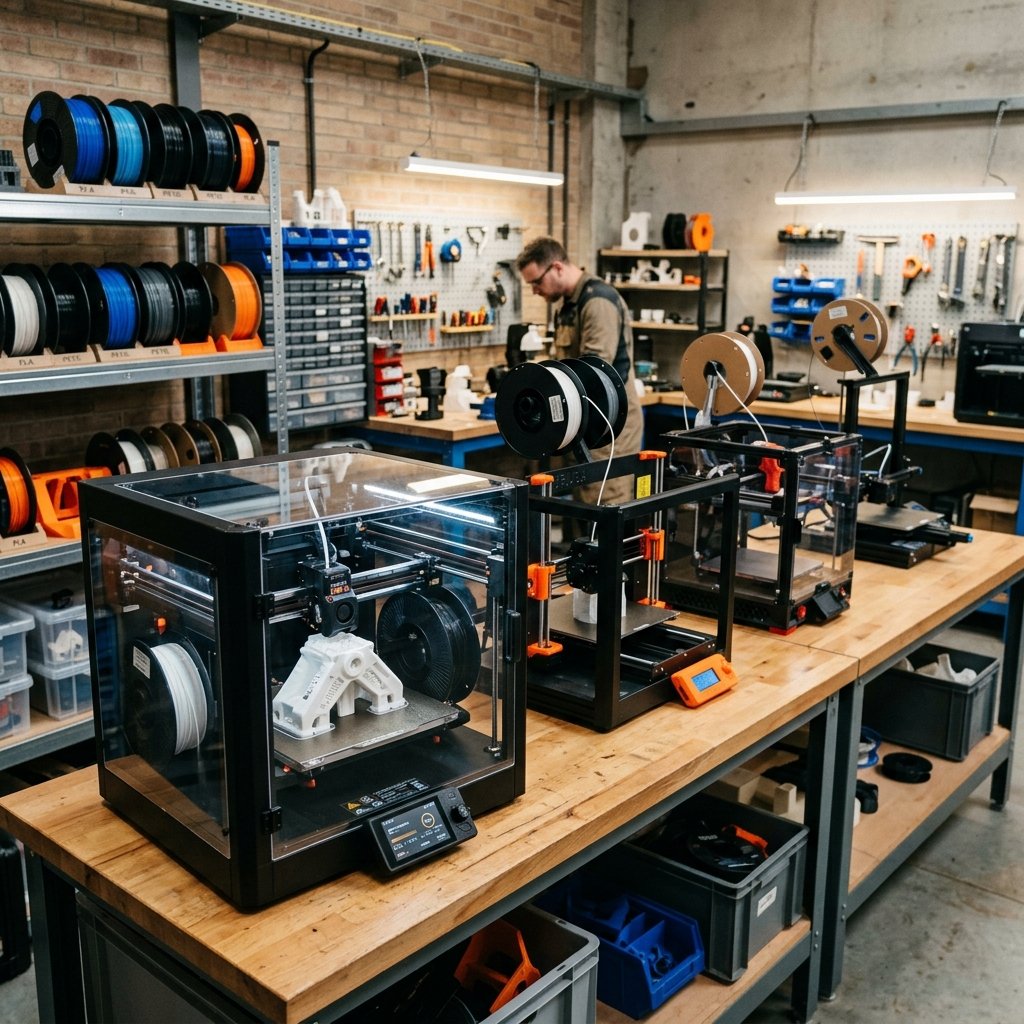
Modern 3D printing workshops rarely consist of a single printer model. A production print farm might operate two enclosed Bambu Lab P1S printers for rapid prototyping, a high-volume Creality K1 Max for larger enclosures, a custom Voron 2.4 for engineering polymers, and a tuned Prusa MK4 for ultra-reliable mechanical parts. In Bambu Studio, controlling this diverse hardware is virtually impossible because the software is tightly coupled to Bambu hardware IDs and proprietary cloud handshakes.
Orca Slicer bridges this divide through its versatile Device Interface Integration:
- Direct Moonraker WebSocket Integration: Connect directly to Klipper-based machines running Mainsail or Fluidd. Slicing and pressing "Send and Print" immediately pushes G-code through your local Wi-Fi or Ethernet network, displaying live webcam streams, bed mesh topology heatmaps, and macro controls directly in Orca's Device tab.
- OctoPrint & RepRap Firmware Support: Legacy bed-slingers and industrial controllers connect seamlessly through standard API keys, allowing one-click job submission and temperature monitoring.
- Native Bambu Network Support: Orca incorporates the Bambu Network plug-in, maintaining full compatibility with Bambu Lab cloud services, LAN-only mode, and multi-color AMS slot assignments.
- No Cloud Intermediary: Slicing and sending jobs over a secure local subnet ensures rapid transfers without file size limits, external service outages, or privacy concerns.
Advanced Toolpath Mechanics: Sandwich Mode, Overhangs, and Small Area Flow
Advanced toolpath mechanics in Orca Slicer optimize structural integrity and surface cosmetics through Sandwich wall ordering, specialized overhang cooling profiles, and small area flow compensation.
Toolpath sequencing dictates how molten plastic interacts with previously deposited geometry. In standard slicing routines, makers must choose between "Outer-Inner" wall order (which produces superior dimensional accuracy and smooth surface finishes, but performs poorly on overhangs because the outer perimeter is deposited in mid-air) and "Inner-Outer" wall order (which anchors overhangs against the infill, but allows infill ribs to push outward and deform visible outer perimeters).
Orca Slicer resolves this fundamental compromise by implementing specialized extrusion modes:
1. Sandwich Mode (Inner-Outer-Inner)
In Sandwich mode, the slicer deposits the innermost perimeter first, creating a rigid mechanical anchor. Next, it deposits the cosmetic outer perimeter, ensuring the nozzle has an existing wall to reference for perfect layer consistency without infill bleed-through. Finally, it deposits the middle perimeter loop, welding the shell together under high lateral pressure. For a full breakdown of perimeter physics, read our technical guide on optimizing slicer wall loops and perimeter orders.
2. Small Area Flow Compensation
When an FDM toolhead prints tiny features like mounting pins, bolt towers, or fine details, thermal dissipation stalls. Depositing full volumetric extrusion into a 2 mm diameter cross-section overheats the polymer, causing the tip to deform into an amorphous blob. Orca's Small Area Flow algorithm automatically detects cross-sectional areas below defined thresholds (e.g. under 15 mm²) and applies progressive volumetric flow throttling alongside targeted fan cooling bursts, maintaining crisp geometry on tiny functional components.
3. Precise Wall Widths & Dynamic Overhang Speeds
Unlike basic slicers that apply uniform cooling and speed along an entire contour, Orca divides perimeter overhangs into four distinct gradient zones (0-25%, 25-50%, 50-75%, 75-100%). Each band can be assigned independent toolhead speeds, auxiliary fan duty cycles, and extrusion multipliers. This granular tuning allows printers to blaze along flat straightaways at 250 mm/s while automatically slowing to a deliberate 20 mm/s on critical cantilevered shelves.
Maker's Workshop Note: Empirical Benchmarking on Creality K1 and Bambu P1S
In my workshop tests on my Creality K1C (running native Klipper) and my Bambu Lab P1S, I executed a series of comparative benchmark prints using Polymaker PolyLite PLA and eSUN PETG to evaluate dimensional tolerance, seam visibility, and multi-machine slicing efficiency.
Benchmark 1: Dimensional Accuracy on Cylindrical Pins
I sliced a mechanical clearance gauge containing five cylindrical test pegs ranging from 4.0 mm to 20.0 mm nominal CAD diameter. In Bambu Studio using default Inner-Outer perimeters, all pegs exhibited a +0.12 mm to +0.18 mm radial outward expansion, requiring manual post-processing to fit into mating brass bushings. In Orca Slicer using Sandwich mode (Inner-Outer-Inner) with precise wall flow calibration, the dimensional variance across all five diameters dropped to +0.02 mm / -0.01 mm, sliding cleanly into the bushings straight off the textured PEI build plate.
Benchmark 2: Cosmetic Seam Elimination on Curved Housings
I printed an elliptical sensor enclosure (80 mm × 60 mm × 110 mm) with a smooth continuous outer contour. Sliced in Bambu Studio with seam placement set to "Aligned", a prominent vertical ridge was visible across the rear curvature, catching light noticeably. Sliced in Orca Slicer with Scarf Joint Seams enabled (30 mm scarf length, 100% overlap, inner-to-outer scarf ramp), the vertical seam vanished completely. Under directional raking light, the transition point was completely imperceptible to both tactile touch and visual inspection.
Benchmark 3: Multi-Printer Farm Workflow Speed
Operating both machines simultaneously demonstrated the practical benefit of Orca's decoupled device tabs. I sliced a two-part assembly consisting of a large structural base and a fine detailed lid. I assigned the baseplate to the Creality K1C via Moonraker WebSocket and the lid to the Bambu P1S via Bambu Network—all within a single Orca Slicer session without logging in, opening external browser tabs, or switching application windows. Both jobs initiated in parallel within 30 seconds.
Frequently Asked Questions (FAQ)
1. Can I use Orca Slicer to control Bambu Lab printers without losing cloud features?
Yes. Orca Slicer incorporates the official Bambu Network plug-in. You retain access to Bambu cloud sending, live video feeds, AMS filament slot mapping, and firmware status indicators, while gaining access to advanced calibration and toolpath controls.
2. Does Orca Slicer replace the need for Klipper macro tuning?
Orca Slicer does not replace Klipper macros, but it complements them perfectly. Orca allows you to input pressure advance and resonance compensation parameters directly into filament and printer profiles, overriding or supplementing your printer's printer.cfg values dynamically per print job.
3. Are profiles transferable between Bambu Studio and Orca Slicer?
Yes. Because Orca Slicer shares an upstream lineage with Bambu Studio, print, filament, and printer profiles (.json) can be exported and imported between the two platforms. However, unique Orca features like scarf seams and small area flow will be ignored if imported back into older Bambu Studio builds.
4. How does Scarf Seam affect total print time?
Scarf seams introduce virtually zero print time penalty. Because the nozzle merely modulates flow rate along an angled ramp rather than pausing or executing complex wipe maneuvers, overall print duration remains identical to traditional slicing.
5. Why does Orca Slicer have so many calibration tools compared to other slicers?
Orca Slicer was built by makers who prioritize hardware-level optimization over black-box presets. Embedding calibration routines directly into the software allows users to extract maximum performance from any third-party filament without relying on proprietary lidar hardware or external G-code generators.
Related Guides & Next Steps
How to Hide Z-Seams with Scarf Seams in Orca Slicer
Master the breakthrough Scarf Seam feature in Orca Slicer to eliminate Z-seam artifacts on FDM 3D prints. Learn ramp angles, overlap lengths, and tuning tips for smooth cylinders.
Best FDM 3D Printers 2026: Top Picks & Buyer's Guide
Choosing the right FDM 3D printer in 2026 can be overwhelming due to rapid technological shifts like high-speed CoreXY systems and multi-color printing. This guide highlights the best models.
References & External Sources
- OrcaSlicer Official Open-Source Repository & Release Documentation
- Bambu Lab Wiki: Bambu Studio Software Overview & Parameters
- Klipper 3D Official Documentation: Pressure Advance & Motion Kinematics
About the Author: Dinu Suciu
I am Dinu Suciu, founder and lead prototyping specialist at 3D Print Book. Operating an active maker workshop equipped with modern enclosed CoreXY and direct-drive FDM 3D printers, I specialize in slicer calibration, polymer mechanics, and practical additive manufacturing troubleshooting. My articles focus on hands-on, lab-tested methods to help creators bypass marketing hype and achieve clean, dimensionally accurate prints. Have questions about printer cooling or custom manufacturing? Connect directly via our Contact Page.