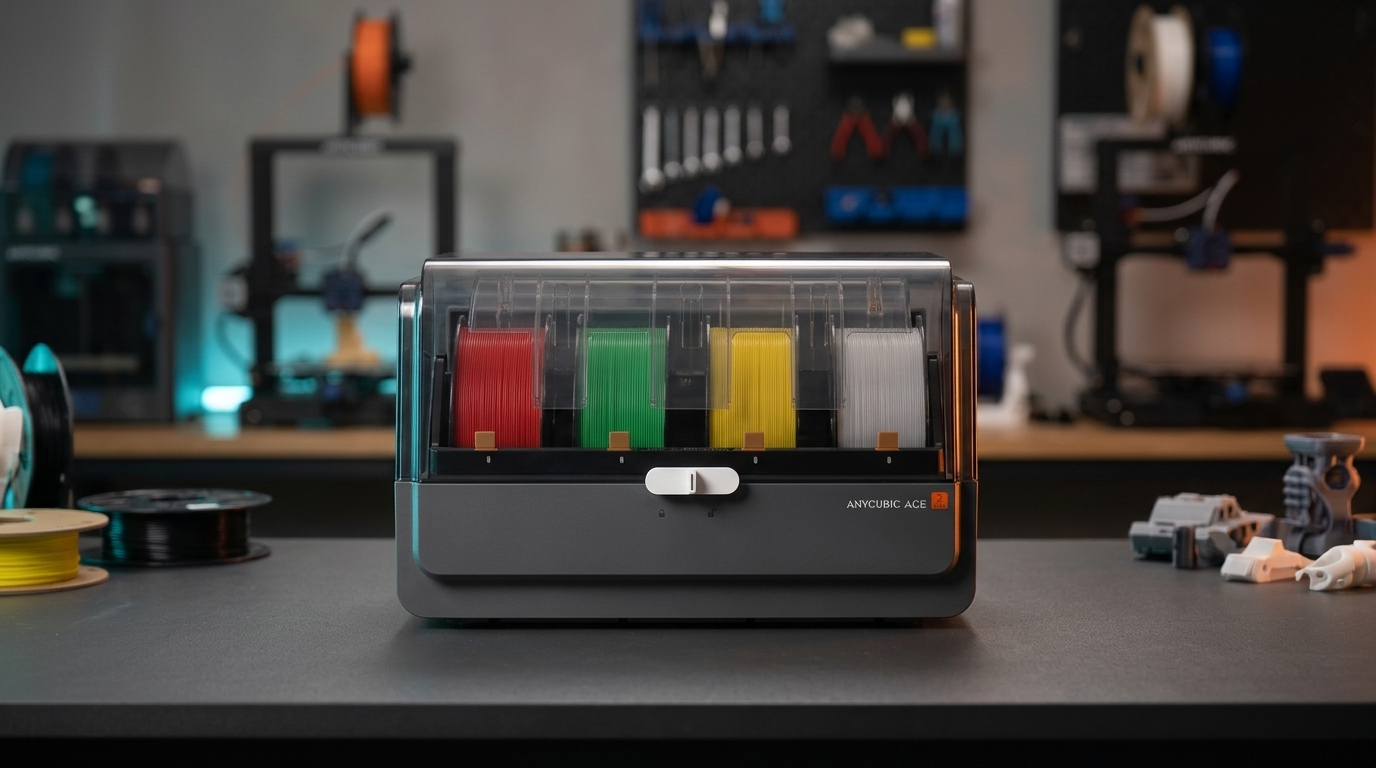
Most multi-color FDM filament hubs force an annoying compromise: they keep four spools sealed behind rubber gaskets with a couple of desiccant packs, yet you still have to pull damp PETG or TPU out into a separate countertop dryer before a long weekend print.
Anycubic's ACE Pro (Anycubic Color Engine Pro) approaches multi-material printing from the opposite angle. Instead of treating filament drying as an offline prep step, it builds dual PTC heaters and circulating fans directly into a 4-bay automated switcher so spools can dry while you print.
Whether you are eyeing the original ACE Pro bundled with the Kobra 3 or the updated ACE 2 Pro paired with the Kobra S1, the real question for working makers is how well that active drying actually holds up against purge waste, cardboard spool friction, and everyday multi-color reliability. In this review, I break down the hardware, thermal limits, buffer mechanics, and where the ACE Pro makes sense on a practical workshop bench.
Table of Contents
- Anycubic ACE Pro Hardware and Active Chamber Heating
- Print-While-Drying Workflow: Real Temperatures vs Desiccant Boxes
- New-Gen Filament Feed & Retract Buffer Mechanism
- Multi-Color Hub Comparison: ACE Pro vs AMS vs Creality CFS
- RFID Spool Recognition, Cardboard Spools, and Slicer Integration
- Multi-Color Feed Speeds, Purge Waste, and Dual-Hub Scaling
- Workshop Observations: What Works Well and Where It Frustrates
- Buyer Verdict: Is the Anycubic ACE Pro Worth Buying?
- Frequently Asked Questions (FAQ)
- References & External Sources
Anycubic ACE Pro Hardware and Active Chamber Heating
The Anycubic ACE Pro is a 4-spool automated filament changer with built-in dual 200W PTC heaters and 360-degree hot-air circulation, allowing it to actively heat the spool chamber up to 55°C (and up to 65°C on the newer ACE 2 Pro) even while feeding filament to the printer.
On the outside, the unit looks compact and tidy—roughly the footprint of a standard desktop drybox, with a tinted flip-top lid secured by a central rotary latch. Inside, four individual bays hold standard 1 kg spools (typically 195–200 mm outer diameter and up to 73 mm width) on dual bottom rollers. Unlike passive boxes that only trap dry air, the rear plenum houses two PTC heating elements paired with blower fans that push warm air around the lower spool perimeter and up across the filament windings.
A few mechanical details stand out as soon as you open the lid:
- Four Independent Feeder Ports: Each bay has its own orange release tab, drive gear assembly, and optical filament runout/tangle sensor. If one spool runs empty mid-print, the firmware can automatically roll over to an identical backup spool in another slot.
- Four Individual Rear PTFE Outlets: Rather than merging four filaments inside the box itself, the ACE Pro routes four separate PTFE tubes out the back into a 4-to-1 hub mounted near the printer's toolhead. This keeps the retraction travel path short and reduces friction inside the box.
- Sealed Front-Latch Lid: A single locking handle pulls the smoked acrylic lid down against a perimeter seal. It isn't a vacuum-grade airtight chamber when powered off, so adding a couple of rechargeable silica gel pods in the front corners still helps if you leave spools sitting idle for weeks.
Print-While-Drying Workflow: Real Temperatures vs Desiccant Boxes
Print-While-Drying lets you run a 4- to 24-hour drying cycle simultaneously during multi-color or single-color prints, keeping hygroscopic PETG and TPU dry without pausing production.
Traditional multi-spool units—like the first-generation Bambu Lab AMS or Creality CFS—rely purely on desiccant packets to maintain low relative humidity. Desiccant slows moisture absorption, but it cannot pull bound water molecules back out of an already-wet roll of PETG or nylon. With a passive hub, you have to unload the spool, bake it in a standalone dryer for six hours, and reload it.

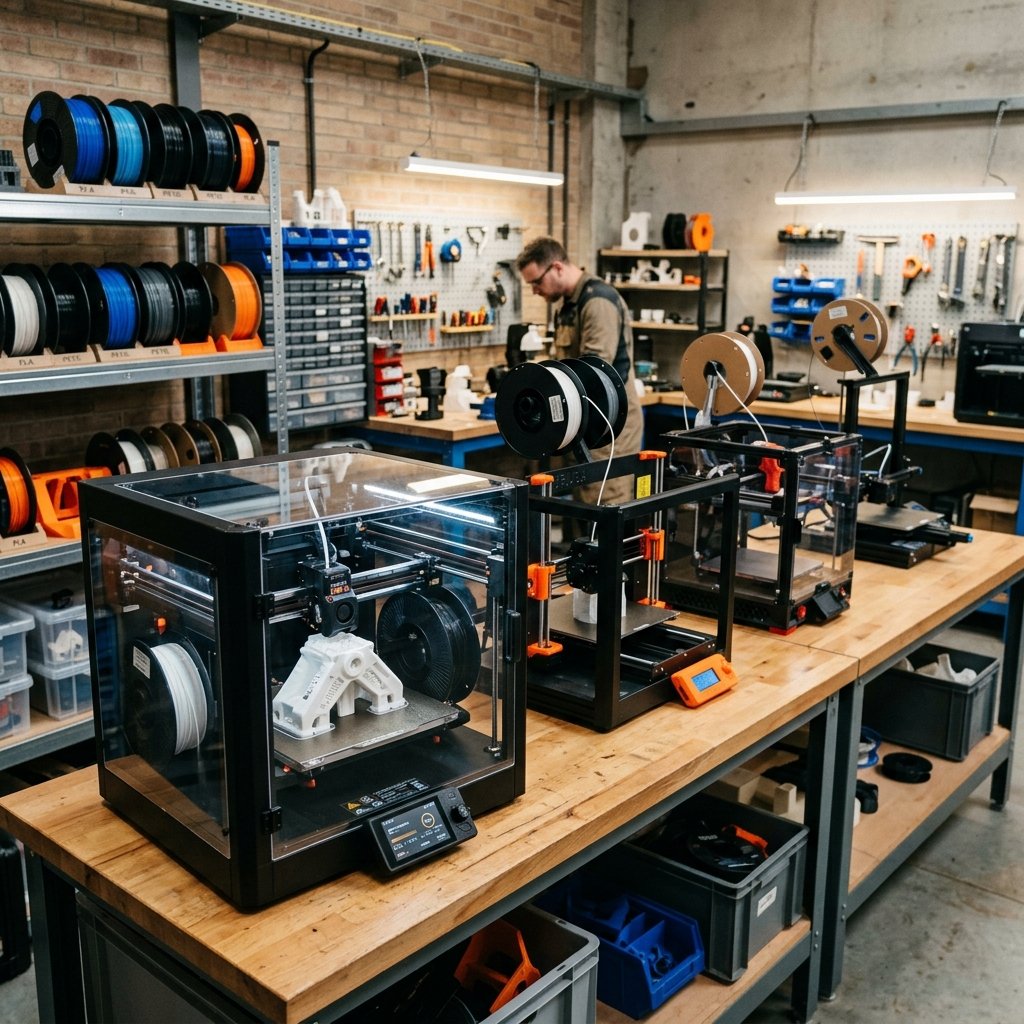
Figure 1: Active Print-While-Drying circulates warm air across all four spools simultaneously while printing, reducing stringing and moisture popping on long jobs.
In practical workshop use, the ACE Pro's active heating covers everyday filaments well, though its temperature ceiling matters depending on what materials you print:
- PLA and PLA+ (40°C–45°C): Safe and effective. Keep PLA drying temperatures around 45°C rather than maxing out the heater; pushing soft PLA spools near 55°C while under feeder tension can slightly soften the filament at the pinch gear and cause feeding jams.
- PETG and PCTG (55°C–65°C): This is where the ACE Pro shines. A 55°C chamber on the ACE Pro—or 65°C on the ACE 2 Pro—is hot enough to steadily drive down moisture in damp PETG over an 8- to 12-hour cycle while a print runs. For dedicated high-temp drying benchmarks, see our FDM filament drying temperature and time guide.
- TPU (50°C–55°C, Direct Feed Only): You can dry hygroscopic TPU spools inside the ACE Pro, but soft 95A or 85A TPU should usually be fed directly into the extruder rather than pushed through four feet of Bowden tubing and a 4-way hub.
- Nylon (PA6/PA12) and Polycarbonate: Here you hit the physical limit. Engineering nylons typically require 70°C–80°C to dry properly. At 55°C, the ACE Pro keeps pre-dried nylon from re-absorbing room humidity during a print, but it won't fully rescue a waterlogged PA-CF spool on its own.
New-Gen Filament Feed & Retract Buffer Mechanism
The ACE Pro uses four spring-loaded rear buffer tubes that absorb slack and tension spikes during rapid filament pushes and retractions, preventing tangles inside the spool bay when the toolhead stops or reverses.
If you've ever watched a multi-color print fail on an unbuffered Bowden switcher, the failure mode is almost always the same: the extruder pushes filament back faster than the spool rewinds, or a slight snag on a cardboard rim triggers a false runout error. Anycubic's buffer block sits right at the rear exit ports. Each of the four blue-highlighted channels slides along a short spring-damped stroke before triggering the optical sensor.
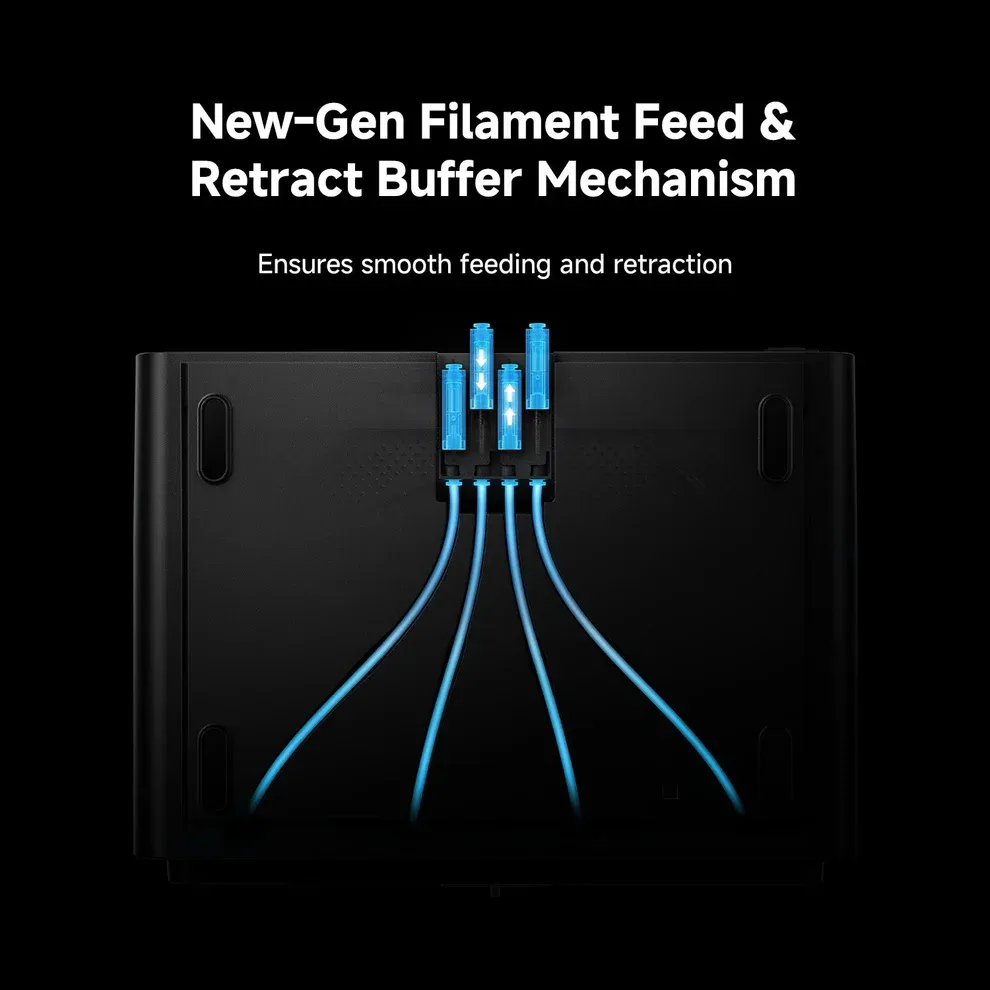
Figure 2: The rear 4-channel retract buffer absorbs momentary tension spikes and slack during high-speed filament swaps.
In my tests with multi-color hubs, having physical buffer travel on each channel makes a noticeable difference in two places. First, during initial loading, the hub pushes filament forward until the toolhead sensor registers contact, and the buffer compresses smoothly rather than slamming the gear teeth into the filament jacket. Second, during rapid color swaps, the buffer buys the spool motor a split second to spin up and rewind slack without jerking the spool off its rollers.
One caveat to watch for: because those four buffer tubes exit straight out the back, you shouldn't shove the ACE Pro flush against a workshop wall. Leave at least 12–15 cm of rear clearance so the PTFE tubes curve gently without kinking. Tight bends at the rear collets add drag quickly, especially with brittle matte PLA or carbon-fiber reinforced filaments.
Multi-Color Hub Comparison: ACE Pro vs AMS vs Creality CFS
Comparing the Anycubic ACE Pro against the Bambu Lab AMS (and AMS 2 Pro) and Creality CFS highlights how each ecosystem balances active drying, spool compatibility, and maximum color count.
| Feature / Specification | Anycubic ACE Pro (ACE 2 Pro) | Bambu Lab AMS (AMS 2 Pro) | Creality CFS | Standalone Single/Dual Dryer |
|---|---|---|---|---|
| Spool Capacity | 4 Spools (up to 8 with Dual Hub) | 4 Spools (up to 16 with 4 Hubs) | 4 Spools (up to 16 with 4 Hubs) | 1 to 2 Spools (No Auto-Swap) |
| Active Drying Heater | Yes — Dual PTC (55°C / 65°C) | Gen 1: No (Desiccant) / AMS 2: Yes (65°C) | No (Desiccant + Humidity Display) | Yes (50°C–70°C depending on unit) |
| Print-While-Drying | Yes (Simultaneous heating & feeding) | AMS 2 Pro: Drying typically requires unload | No (Passive sealed drybox) | Yes (Manual single-color feed only) |
| Cardboard Spool Support | Supported (adapter rings recommended) | Not recommended raw (dust/slip issues) | Supported (with wide-edge rollers) | Yes (most roller designs accept cardboard) |
| RFID Auto-Detection | Yes (Anycubic RFID spools) | Yes (Bambu Lab RFID spools) | Yes (Creality RFID spools) | No |
| Ecosystem Lock-In | Anycubic Kobra 3 / Kobra S1 series | Bambu Lab X1 / P1 / A1 (via Hub) | Creality K2 Plus / Hi / K1 (with kit) | Universal (Any FDM Printer) |
| Check Best Price | Check Price | Direct Manufacturer Only | Check Price | Check Price |
Save on Anycubic Bundles & Hygroscopic Filaments
Multi-color setups and active dryers work best when paired with fresh, dimensionally consistent spools and discounted printer bundles. Before paying full retail for an Anycubic Kobra combo, standalone drying hub, or bulk PETG packs, check our curated 3D Printing Deals & Coupons page for verified partner offers across Anycubic, Creality, Elegoo, and Flashforge.
RFID Spool Recognition, Cardboard Spools, and Slicer Integration
The ACE Pro reads built-in RFID tags on official Anycubic spools to auto-populate color and material profiles in Anycubic Slicer Next, while third-party plastic and cardboard spools can be mapped manually on the touchscreen or in the slicer.
RFID convenience is nice when you buy first-party filament, because dropping a fresh spool into Bay 2 automatically updates the printer screen with the exact color hex and temperature range. Still, most makers own shelves full of Polymaker, eSUN, Sunlu, and Elegoo rolls without Anycubic tags. Mapping those manually takes about ten seconds on the Kobra touchscreen.
Where you need to pay closer attention is cardboard spools. Anycubic states that the ACE Pro accepts cardboard spools, and in my workshop tests, crisp new cardboard rolls usually spin fine for the first few prints. However, after a couple of drying cycles at 55°C—or if a spool arrives slightly dented from shipping—cardboard rims can fray or lose roundness. When a heavy 1 kg cardboard spool binds slightly on the drive rollers during a retract move, the buffer triggers a tangle pause.
Two quick habits prevent almost all cardboard feeding headaches:
- Print Snap-On Plastic Rim Rings: A 15-minute PLA or PETG ring snapped onto the edges of a cardboard spool gives the ACE Pro rollers a smooth, hard surface to grip and stops paper dust from collecting inside the drive gears.
- Watch Lightweight Empty Spools: When a spool drops below 150 grams of remaining filament, a stiff brand-new roll can tug less than an almost-empty spool that hops slightly during fast retractions. Adding a printable desiccant core weight inside the spool center hub keeps it planted on the rollers.
Multi-Color Feed Speeds, Purge Waste, and Dual-Hub Scaling
Because the ACE Pro relies on a single-nozzle 4-to-1 hub architecture rather than an IDEX or multi-toolhead changer, every color swap requires cutting the filament above the heatbreak, retracting it back into the buffer, purging the old melt, and priming the new color.
This is the fundamental tradeoff of every hub-based multi-color system. On a 300-layer figure with four colors per layer, a single-nozzle cutter system easily spends more time swapping and flushing than actually laying down perimeters—and it produces a pile of filament "poop" behind the chute.
You can cut that waste significantly in Anycubic Slicer Next (which is built on the Orca Slicer codebase) with three adjustments:
- Lower the Flushing Multiplier: Default flushing multipliers are conservative (often 1.0 or higher) so black never bleeds into white. For similar-tone swaps or functional parts where crisp color boundaries aren't critical, dropping the flushing multiplier to 0.60–0.70 cuts purge waste by 30–40%.
- Flush Into Infill and Supports: Enabling Flush into objects' infill and Flush into support dumps transition filament inside hidden structural areas instead of ejecting it out the back chute. Just avoid flushing dark colors into infill under thin white outer walls, or the dark core will shadow through.
- Batch Print by Object or Multiply Models: Printing one multi-color keychain wastes almost the same purge volume as printing six identical keychains on the same plate. Grouping multi-color parts onto a full bed drops the per-part waste dramatically.
If four colors aren't enough, compatible printers like the Kobra 3 and Kobra S1 support chaining two ACE Pro units via an 8-in-1 hub for up to 8 spools. Just keep in mind that dual-hub setups double your desk footprint and require clean PTFE routing so all eight tubes enter the toolhead hub smoothly without sharp bends.
Workshop Observations: What Works Well and Where It Frustrates
Maker's Workshop Note: Living With the ACE Pro on a Daily Bench
In my workshop, I test multi-material hubs with two priorities in mind: whether they survive 12-hour overnight PETG prints without false tangle stops, and whether the built-in dryer actually replaces a dedicated drybox on my desk.
What Impressed Me: Having active heat right inside the 4-bay changer genuinely simplifies PETG and PLA+ workflows. When a spool of eSUN PETG sits unused for three weeks in a 55% humidity room, normally I'd have to pull it off the printer, run a 6-hour bake in a standalone box, and reload. With the ACE Pro, I set the dryer to 55°C for 4 hours before starting—or leave Print-While-Drying active during the first half of a long functional print—and stringing stays minimal. The rear buffer tubes also handle stiff filaments cleanly without chewing notches into the filament jacket.
Where It Still Shows Limits: First, fan noise during active drying is noticeable; it's a steady mid-pitched hum you'll hear across a quiet office, though it blends in once the printer's part cooling fans spin up. Second, clearing a snapped filament tip inside the 4-way hub or lower feeder block takes a bit of patience if brittle old PLA snaps inside a PTFE bend—keeping fresh, dry PLA in the hub prevents 90% of those breaks. Finally, the unit is tied to Anycubic's ecosystem (Kobra 3, Kobra 3 Max, Kobra S1). If you own a Creality, Elegoo, or Prusa machine, you'll still want a standalone dryer like the Creality SpacePi rather than an ACE Pro.
Buyer Verdict: Is the Anycubic ACE Pro Worth Buying?
If you already own—or plan to buy—a compatible Anycubic printer like the Kobra 3 or Kobra S1, the ACE Pro bundle is easily worth the upgrade over buying a bare single-spool printer. Even if you rarely print four-color figurines, using it as a 4-bay drybox with automatic spool rollover and dissolvable or dissimilar support interfaces (like PETG supports for PLA parts) pays off quickly on functional workshop projects.
On the other hand, if your workflow centers on high-temp engineering nylons (PA-CF at 75°C+ drying) or you run a mixed fleet of non-Anycubic printers, a universal dual-spool standalone dryer paired with a dedicated CoreXY machine remains the more flexible investment. For broader comparisons across enclosed CoreXY and multi-color machines, see our Best FDM 3D Printers 2026 Buyer's Guide.
Frequently Asked Questions (FAQ)
1. Can the Anycubic ACE Pro dry filament while printing?
Yes. Unlike passive desiccant boxes or certain competitors that require unloading filament during high-heat cycles, the ACE Pro supports Print-While-Drying. You can run its dual PTC heaters continuously while feeding filament to the hotend, which is especially useful for keeping PETG dry on multi-day prints.
2. What is the difference between the ACE Pro and the ACE 2 Pro?
The original ACE Pro (bundled with the Kobra 3) heats up to 55°C and uses a 4-bay active drying design. The newer ACE 2 Pro (paired with the Kobra S1) bumps the maximum drying temperature up to 65°C for better PETG/ASA conditioning and refines the internal buffer and feeding path for faster, quieter swaps.
3. Can I use the Anycubic ACE Pro with a Creality, Elegoo, or Bambu Lab printer?
No, not out of the box. The ACE Pro communicates over Anycubic's proprietary 4-pin/6-pin data bus and relies on Anycubic printer firmware and cutter-equipped toolheads to coordinate retractions and swaps. For non-Anycubic printers, look at a universal standalone filament dryer instead.
4. Does the ACE Pro work with non-Anycubic filament brands and cardboard spools?
Yes. You can load 1 kg spools from Polymaker, eSUN, Sunlu, Elegoo, or other standard brands and assign their color and material manually on the touchscreen. Cardboard spools are supported, though snapping printable plastic rim rings onto cardboard edges helps prevent fraying and roller slip during drying.
5. How many ACE Pro units can I connect to one printer?
Supported Anycubic printers like the Kobra 3 and Kobra S1 can connect up to two ACE Pro units simultaneously using an 8-in-1 filament hub, giving you 8 active, heated spool bays for complex multi-color or multi-material jobs.
Related Guides & Next Steps
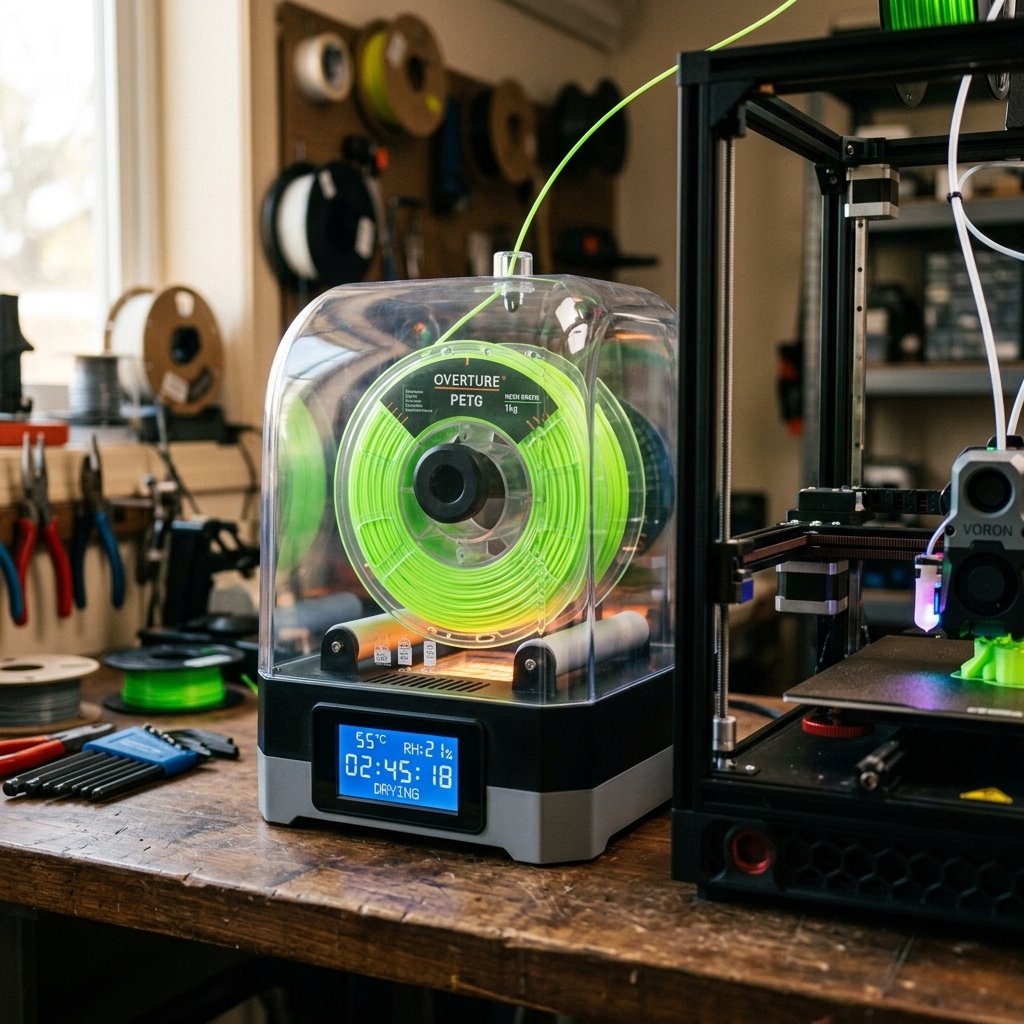
FDM 3D Printing Filament Drying: Temperature & Time Guide
A comprehensive guide explaining why and how to dry common FDM filaments like PLA, PETG, and TPU. Learn drying temperatures, storage tips, and how to prevent moisture-related print issues.
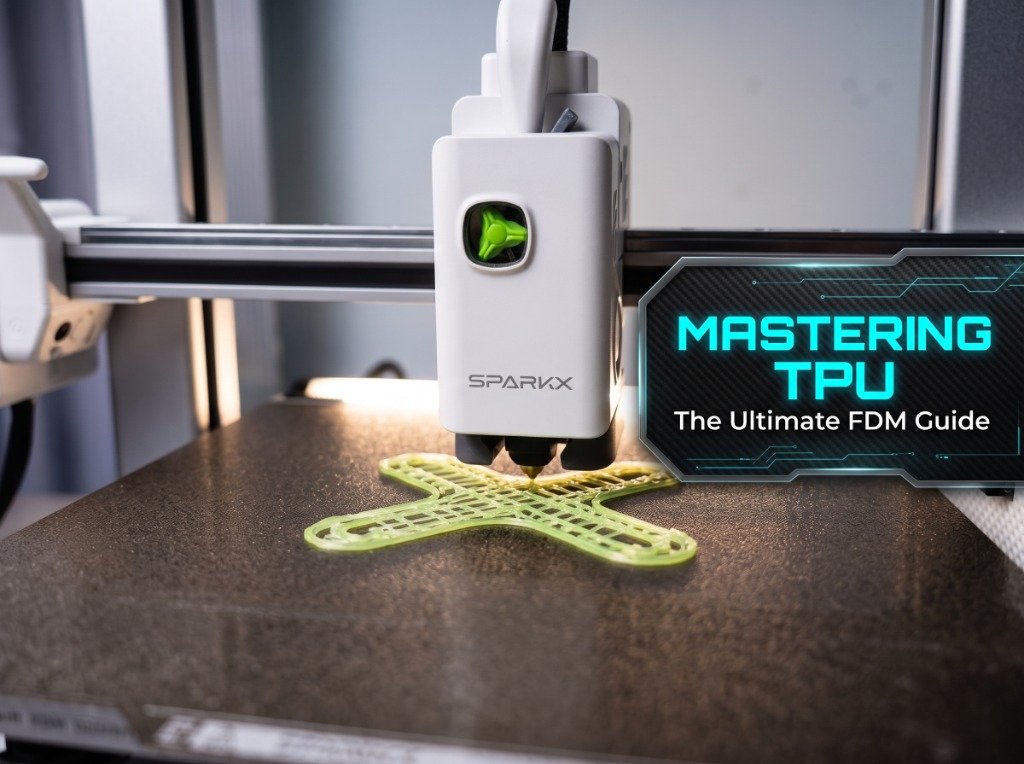
3D Printing TPU on FDM Printers: Settings & Moisture Guide
Practical guide for FDM 3D printer users on printing flexible TPU filament without toolhead jams or stringing, covering shore hardness, slicer speed tuning, drying, and AMS bypass setups.
References & External Sources
- Anycubic Official Wiki: Kobra 3 Combo & ACE Pro Hardware Documentation
- Anycubic Official Store: Kobra S1 & ACE 2 Pro Technical Specifications
- Bambu Lab Official Wiki: AMS Function Introduction, Spool Compatibility & Multi-Material Setup
- Prusa Research Knowledge Base: Drying Hygroscopic FDM Filaments (Temperatures & Times)
About the Author: Dinu Suciu
I am Dinu Suciu, founder and prototyping specialist at 3D Print Book. Operating an active maker workshop equipped exclusively with desktop FDM 3D printers—including enclosed CoreXY builds and high-speed bed-slingers—I focus on multi-material reliability, filament moisture control, and repeatable print workflows for functional parts. Have a question about multi-color setups or custom prototyping? Reach out directly through our Contact Page.